01Desktop · 5 screens
Freight Dispatch
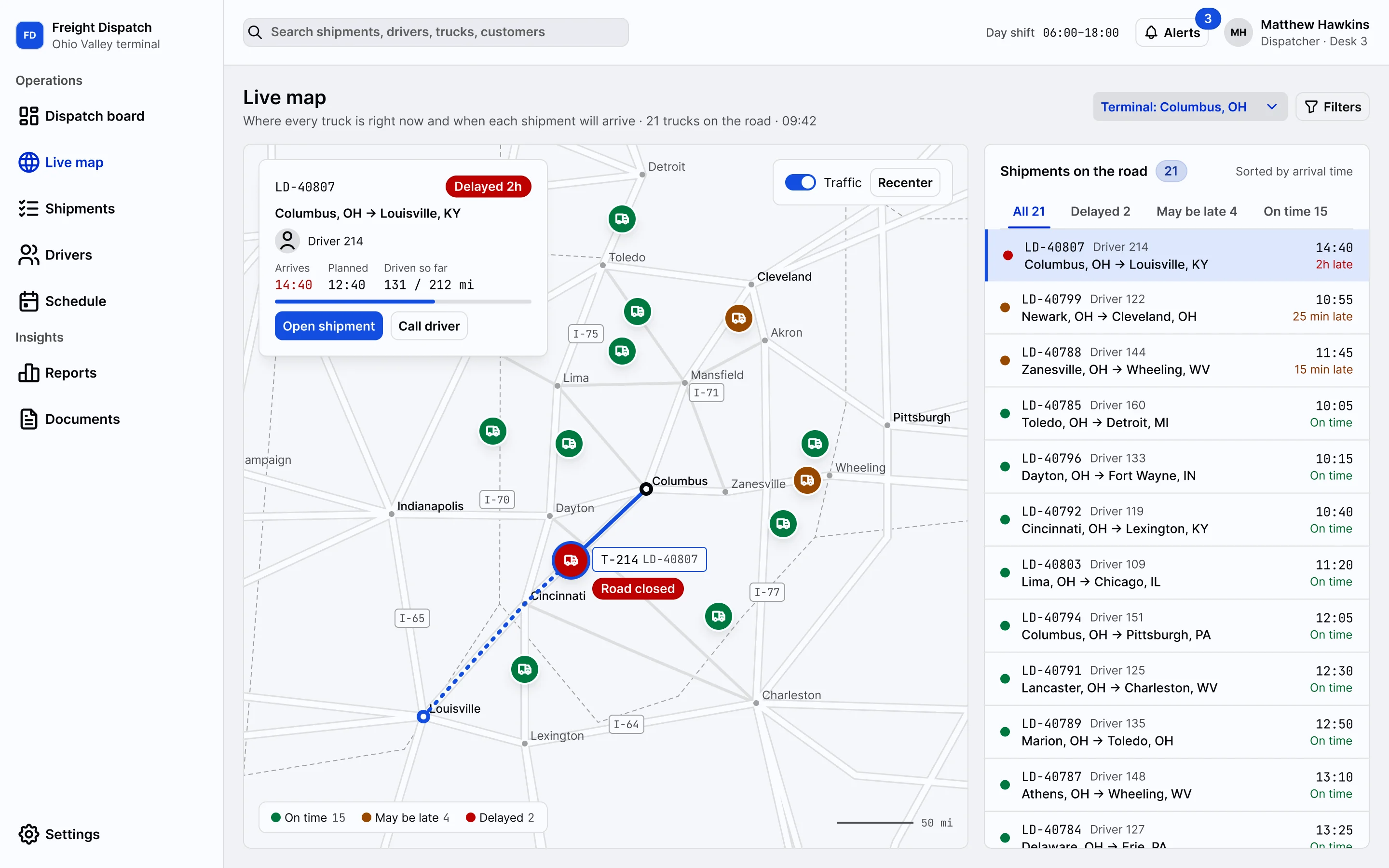
Dispatchers give shipments to drivers and follow every truck on the road.
See the screenswebforJ showcase
Dispatch boards, field inspections, front desks and finance approvals. Business apps like these are built in Java with webforJ components: tables, forms, dialogs and live updates.
Four business apps, each one a full set of screens. Pick one and step through it.
01Desktop · 5 screens
Dispatchers give shipments to drivers and follow every truck on the road.
See the screens02Mobile · 5 screens
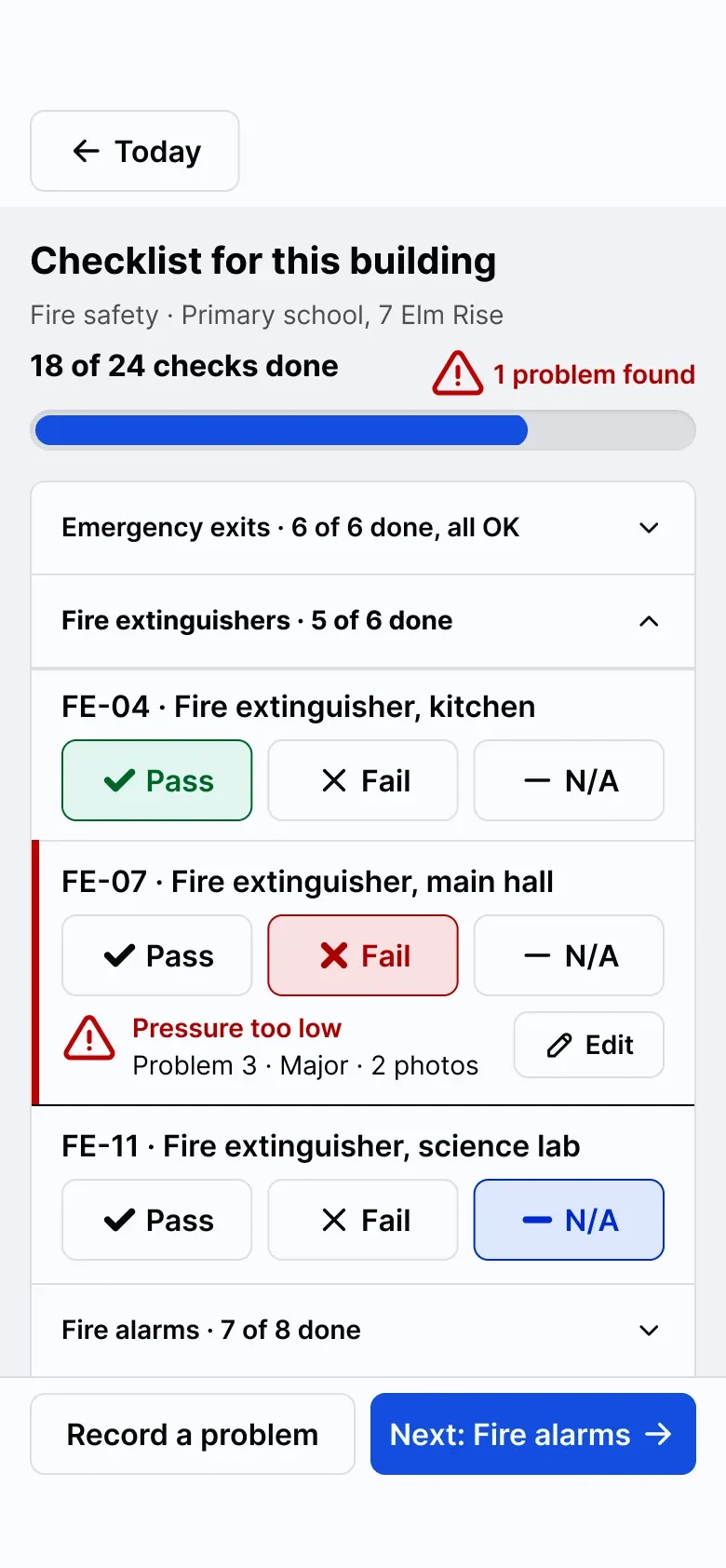
Building inspectors walk a checklist and get a sign-off, all on a phone.
See the screens03Desktop · 6 screens
Reception staff check patients in, book visits and close the day.
See the screens04Desktop · 5 screens
The finance team checks invoices against purchase orders and pays them.
See the screens01Desktop app · 5 screens
Operations software for a regional trucking company. Dispatchers match shipments with drivers and trucks, follow every load on the road and handle delays, all day on large screens.
Every shipment by status, from waiting for a driver to delivered, with the numbers for today on top.
Freight DispatchDispatch board
02Mobile app · 5 screens
Building safety inspectors follow the route for the day, walk a checklist room by room, photograph problems and get the site manager to sign off. The inspector installs it on the home screen of the phone.
See the route for the day, what is done and what is next. Changes from the office show up as they happen.
03Desktop app · 6 screens
Reception at an outpatient clinic with several doctors. Staff see the whole day by clinician, check patients in, book visits, open a patient record and close the payments for the day.
The day schedule by clinician next to a waiting room that updates as patients arrive.
Clinic Front DeskToday
04Desktop app · 5 screens
Supplier invoices arrive, get checked against the purchase order, and are approved and paid by the finance team.
Filter open invoices, select the ones that match their order and approve them together.
Invoice ApprovalInbox
Book a call with the team that builds webforJ. Bring your app, your backend and your timeline, and we will show you how webforJ fits, from the first screen to LTS+ support.
We speak English, Deutsch, Français, Español
Name your app, pick a theme color and an archetype, then download a project with the layout and dependencies in place. The Table, Dialog, Drawer and Upload from these screens are ready to use.
The apps on this page are examples that show what you can build with webforJ components.