Bind a Java bean to form fields automatically in webforJ

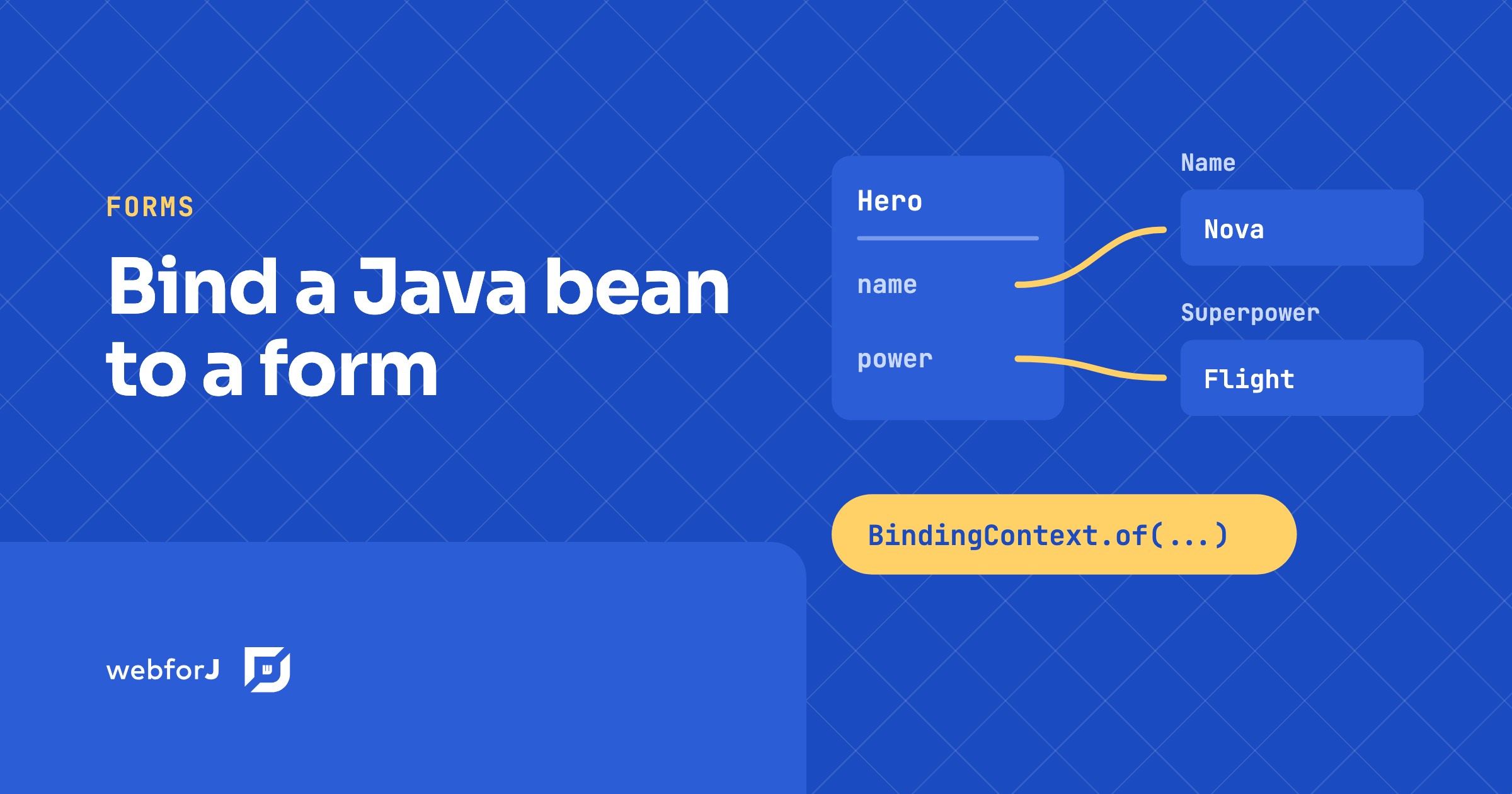
To bind a Java bean to form fields in webforJ, call BindingContext.of with the form, the bean class, and the bean. webforJ matches each field to a bean property by name, so a TextField named name fills the name property without any wiring code. In this tutorial you build a small hero form. You will bind fields automatically, map one field with an annotation, exclude a field that has no matching property, and save the bean only when the form is valid.
What you will build
The form has a name field, a superpower field, a preview field, and a Save button. The name and superpower fields fill a Hero bean. The name is required. The preview field is on screen but never touches the bean. The Save button follows the validation result.
You need a webforJ project for this. The getting started guide shows how to create one with startforJ or the command line.
Create the bean
A bean is a plain Java class with a no-argument constructor and getters and setters. webforJ reads the property names from those methods, so the bean does not use any webforJ types.
public class Hero {
  private String name;
  private String power;

  public Hero() {}

  public Hero(String name, String power) {
    this.name = name;
    this.power = power;
  }

  public String getName() {
    return name;
  }

  public void setName(String name) {
    this.name = name;
  }

  public String getPower() {
    return power;
  }

  public void setPower(String power) {
    this.power = power;
  }
}
The name and power properties are the two values the form will fill. The second constructor sets both at once, which keeps the starting values in one line.
Add fields to a form
The form extends Composite<FlexLayout>. Each control is a field of the class. BindingContext.of looks at the fields declared in the class, so the field names are what it matches against the bean.
Start with the fields and the layout:
public class HeroForm extends Composite<FlexLayout> {

  // Matches Hero.name because the field name equals the property name
  @BindingRequired
  TextField name = new TextField("Name");

  // Matches Hero.power through the annotation
  @UseProperty("power")
  TextField superpower = new TextField("Superpower");

  // No matching property, so it is excluded from binding
  @BindingExclude
  TextField preview = new TextField("Preview");

  Button submit = new Button("Save");

  public HeroForm() {
    FlexLayout layout = getBoundComponent();
    layout.add(name, superpower, preview, submit);

    Hero hero = new Hero("Superman", "Fly");
    BindingContext<Hero> context = BindingContext.of(this, Hero.class);
    context.observe(hero);

    context.onValidate(e -> submit.setEnabled(e.isValid()));

    submit.onClick(e -> {
      if (context.validate().isValid()) {
        System.out.println("Saved " + hero.getName() + " with " + hero.getPower());
      }
    });
  }
}
Each annotation covers a different case:
- A field with no annotation binds to the property with the same name.
namebinds toHero.namewith no extra code. @UseProperty("power")binds a field whose name differs from the property name. Use it when the UI label and the bean property do not match.@BindingExcludeskips a field. The preview field has no property behind it, so the exclusion keeps it out of the binding.@BindingRequiredmarks the field as required. The binding sets the required state on the component. It does not enforce the rule by itself, so check the value with validation before you save.
Auto bind form fields in Java
The call to BindingContext.of(this, Hero.class) creates the bindings. It pairs every bindable field with a property of the bean, using the rules from the previous section. The class is the bridge between the form and the bean, and you do not write a line of binding code per field.
BindingContext.of also has a three-argument form. The third argument, useJakartaValidator, decides whether the bindings use Jakarta Bean Validation. Pass true when your bean carries Jakarta annotations such as @NotBlank. The Jakarta validation page covers that path.
Load the bean and save changes
The observe call does two things. It copies the bean values into the fields once. After that, each edit the user makes that passes validation is written back to the bean.
The onValidate listener runs whenever the context validates. Here it turns the Save button on or off, so the user cannot submit an invalid form. The click handler validates again with validate() and checks the result before it reads the bean.
Walk through the flow once:
observe(hero)fills the name and superpower fields withSupermanandFly.- The user types a new superpower. The valid change lands in
heroimmediately. onValidateenables or disables Save based on the result.- Save runs
validate()again. Only a valid result reaches the bean code.
The bindings reference at bindings lists the rest of the binding options. The automatic binding page lists every annotation.
Direction of data flow
Data moves from the fields to the bean after observe, and it moves from the bean to the fields only once. If you change the Hero object in code after observe has run, the fields keep their old values. Build a new form or a new context when the form needs to show a different hero.
Every valid edit writes to the bean as soon as it happens. That keeps the bean current, but it also means each valid edit runs your setters. Keep setters cheap, or move slow work to the save step.
If your bean holds nested objects, the address.street style of property path works with @UseProperty. The nested data binding post walks through that case.
Bind your own bean
Create a project with startforJ, replace the generated view with the two classes from this post, and run the app. Open the page and change the superpower. Then add a second property to Hero and a matching field to see it bind with no extra code.
Frequently asked questions
Can I bind a POJO to UI fields without annotations?
Yes. Any class with a no-argument constructor and getters and setters works as the bean. When a field name equals a property name, BindingContext.of(this, YourBean.class) binds the two with no annotations. The annotations only handle the exceptions.
Is the binding two-way?
Not fully. Fields write to the bean as the user edits them, and the bean loads into the fields once when observe runs. A later change to the bean object does not refresh the fields, so reload the form with a new context when the bean changes outside the form.
What if a field name does not match the property name?
Add @UseProperty with the property name as the value, for example @UseProperty("power") on a field called superpower. If a field should never bind, add @BindingExclude instead.
Do Jakarta validation annotations work with this?
Yes. Put Jakarta annotations such as @NotNull or @NotBlank on the bean properties and pass true as the third argument of BindingContext.of. The binding then uses Jakarta Bean Validation for its checks, and the Jakarta validation page shows the full setup.
Rakennatko jotain webforJ:llä?
Keskustele tiimin kanssa projektistasi, migraatiosta tai siitä, sopiiko webforJ sinulle.
Jatka lukemista
 Java UI testing without a browser: the webforJ TestBed guideRun Java UI testing without a browser in webforJ. The TestBed runs views in plain JUnit, with no server, and covers forms, dialogs, routes, and Spring.
 Java progressive web app: make a webforJ app installableBuild a Java progressive web app with webforJ. One @AppProfile annotation adds the manifest, icons, and install prompt. Covers testing and offline limits.
 Your Web App Deserves a Spot on the Home ScreenLearn how to turn your webforJ app into an installable, home-screen-ready experience.
