Build a web app in Java without JavaScript, step by step

You write Java for a living, and the next project needs a browser interface. Every guide you open tells you to learn a second language first, plus a package manager, a bundler and a framework that changes every few years. It is fair to ask whether you really need all of that.
You don't. You can build a web app in Java without JavaScript, and with webforJ you do it by writing components, event handlers and routes as plain Java classes. The browser still runs JavaScript, but webforJ ships it and talks to it for you, so none of it lands in your source tree.
If you want a complete example before you start, clone webforj-databinding. It is an employee form bound to nested records. It runs with Java and Maven, and the source has no JavaScript in it.
What "without JavaScript" means
A web page cannot run without JavaScript. Every modern browser executes it, and every interactive page on the web depends on it. So the honest version of the promise is narrower: you don't write, test, or bundle any of it.
In webforJ the app runs on the JVM. When your code calls a method such as setText(), the framework sends the change to the browser. When a user clicks a button, the browser sends the event back to your Java handler, along with the data you need. The client/server model explains how these calls get batched so the app stays quick.
That answers the question many Java developers ask: do I need JavaScript for a Java web app? Not to write one. You need it only if you choose to reach into the browser yourself, and the last section of this post shows that is optional.
Step 1: Generate the project
You need a JDK 21 or higher and Maven, nothing else. There is no Node.js or npm step, and the prerequisites page lists where to get each tool. Open startforJ, enter a name, a group ID and an artifact ID, pick the HelloWorld archetype, and download the project. The getting started page covers the same flow, including a command-line option.
Unzip it and run mvn in the project folder. A generated project sets its default goal, so one command compiles the code and serves the app. Open the address the console prints. You see a text field and a button, and you haven't written anything yet.
Step 2: One view with an event handler
The page you just saw is one Java class. This is the starter view:
@Route("/")
public class HelloWorldView extends Composite<FlexLayout> {

  private final FlexLayout self = getBoundComponent();
  private TextField hello = new TextField("What is your name?");
  private Button btn = new Button("Say Hello");

  public HelloWorldView(){
    self.setDirection(FlexDirection.COLUMN);
    self.setMaxWidth(300);
    self.setStyle("margin", "1em auto");

    btn.setTheme(ButtonTheme.PRIMARY)
        .addClickListener(e ->
          Toast.show("Welcome to webforJ Starter " + hello.getValue() + "!", Theme.GRAY));

    self.add(hello, btn);
  }
}
Read it like any Java class. TextField and Button are components you create with new. The click handler is a lambda that reads hello.getValue() and shows a toast. The layout, the fields and the behavior live in one file, and no template or script sits beside it. The @Route("/") annotation maps the class to the home URL. To add a page, write another class that extends Composite with a path such as @Route("/employees"), and @Routify on the Application class picks it up. The app basics page walks through it line by line, and the routing overview covers patterns and nested layouts.
Step 3: A form bound to a bean
Forms are where most developers expect to need script code, for reading values, validating input, and writing them back. In webforJ you declare the fields on the view and let a BindingContext connect them to a plain Java bean. This is the start of the employee form in the webforj-databinding app:
@Route("/")
@FrameTitle("Employee Onboarding")
public class EmployeeFormView extends Composite<Div> {

  private final TextField firstName = new TextField("First name");
  private final TextField lastName = new TextField("Last name");
  private final TextField email = new TextField("Email");

  @UseProperty("address.street")
  private final TextField street = new TextField("Street");

  private BindingContext<Employee> context;
  private Employee current = new Employee();

  // ...

  private void setupBindings() {
    context = BindingContext.of(this, Employee.class, true);
    context.read(current);
  }
}
BindingContext.of matches each field to a bean property by name. When a field name differs from the property, the @UseProperty annotation points it at the right one, including nested properties such as address.street. Validation and transformation attach to the same bindings, so the whole form is checked in Java. The automatic binding page lists every annotation, and data binding covers the rest.
Step 4: Run and iterate
Keep mvn running while you work. Change a label or a handler, rebuild, and reload the page. Because the UI is Java, you debug it with your IDE debugger, set breakpoints inside the click handler, and test the logic with the same tools you use for any other Java code.
Where the JavaScript went
| Task | With a split stack | With webforJ |
|---|---|---|
| Render a page | Write markup and script | Create components in Java |
| Handle a click | Script listener calls an API | Java lambda on the component |
| Move to another page | Client router configuration | @Route on a class |
| Validate a form | Script plus server rules | One BindingContext in Java |
| Ship to the browser | Bundler and package manager | Maven build |
The app is one codebase and one language. That is what makes the promise practical for a team: the person who writes the business logic can also build the screen.
When you do want JavaScript
Sometimes you want a browser feature that no component covers. webforJ gives you two escape hatches, and both start from Java.
- Run a script from a handler. The execute JavaScript page shows
executeJsVoidAsyncfor fire-and-forget calls such as scrolling or focusing, andexecuteJsAsyncwhen you need a value back. They exist onPagefor the whole window and on a single element. - Wrap a web component. If a third-party custom element does what you need,
ElementCompositeturns it into a Java class with@NodeNameand@JavaScript. The element composite page builds one from a Web Awesome component. For a Java-only take on browser behavior, see Animated transitions, no JavaScript required.
Treat these as exceptions. Most business screens, such as forms, tables, dialogs and navigation, are built from the component set directly, which is why a Java developer can stay in one language for the whole app.
Next step
Generate a project with startforJ, run mvn, and change the click handler to do something your own app needs. Then read the getting started page for the next layer of the toolchain.
Frequently asked questions
Can you build a web app in Java without JavaScript?
Yes. With webforJ you write views, event handlers and routes in Java, and the framework sends the interface to the browser and returns user events to your code. The browser runs JavaScript that comes with the framework, so none of it appears in your project.
Do I need JavaScript for a Java web app?
Not to build one with webforJ. The component set covers forms, tables, dialogs and layouts, and a Maven build is all you need. You only write JavaScript if you choose to, through executeJs calls or wrapped web components.
Is there a Java framework with no JavaScript?
webforJ is one. You build the whole app, screens included, in pure Java and run it as a standard Maven project, with no Node.js or npm step. Its browser-side code is part of the framework, so you don't author or maintain it.
What if I need a feature the components don't cover?
Call executeJsVoidAsync or executeJsAsync from your handler to run a script on the page or on one element. For a reusable piece, wrap a custom element with ElementComposite. Both keep the integration in Java, and the rest of your app stays unchanged.
Bouw je iets met webforJ?
Bespreek je project, migratie of de geschiktheid van webforJ met het team.
Verder lezen
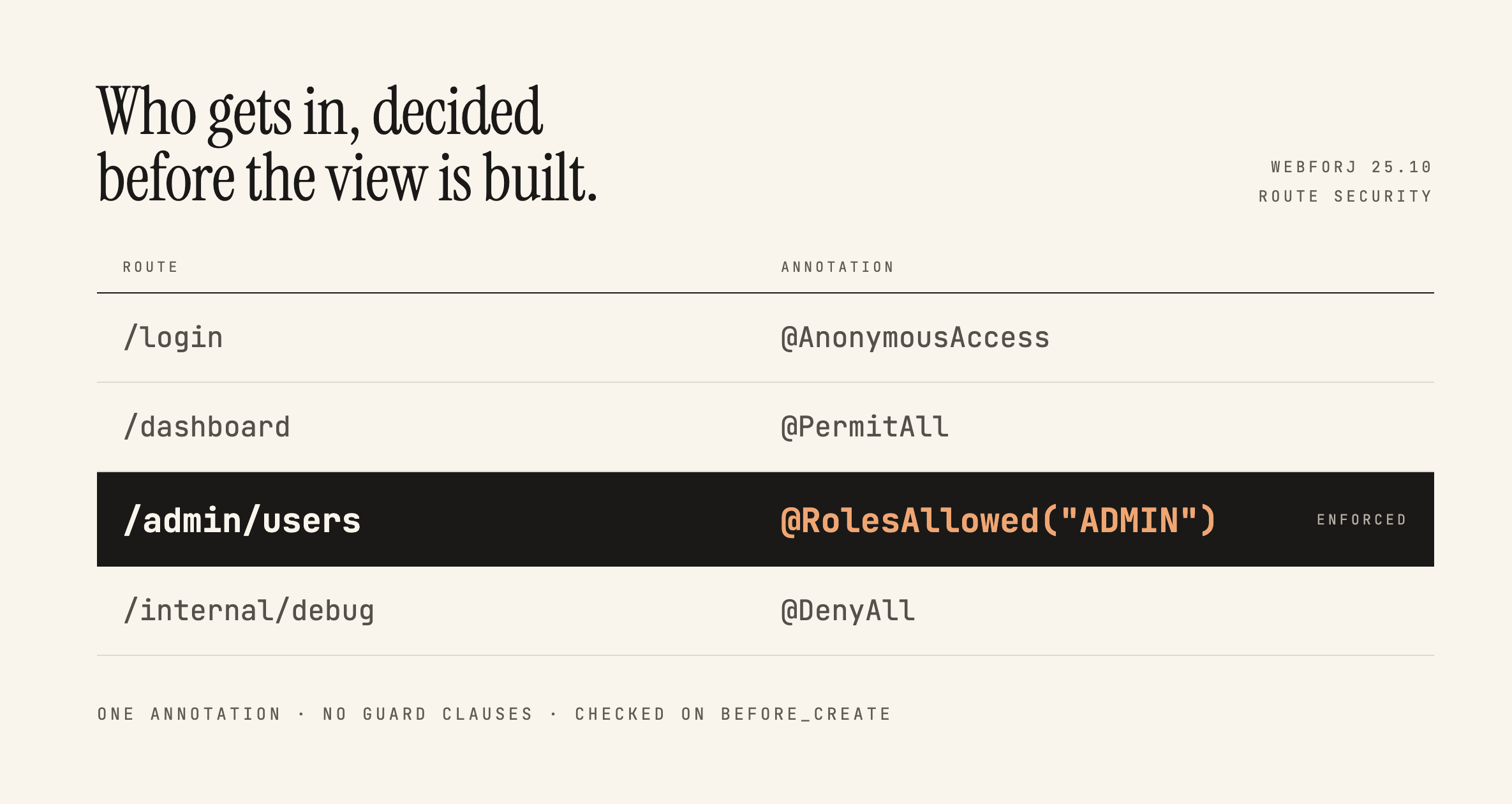 Securing webforJ Routes Before the View ExistsRoute annotations stop people reaching a view. What they don't do is follow you inside it, and that distinction decides where your access checks belong.
 How to build a web app in Java, step by stepBuild a web app in Java with Maven and webforJ. Generate a project, run it, add views and routes, then see where Spring and deployment fit. No front end stack.
 Building an Interactive SVG Viewer with webforJBuild a reusable webforJ SVG viewer with typed selection events, bounded zoom controls, and instance-safe pointer panning.
