Big bang migration vs phased: how to cut over a Java app

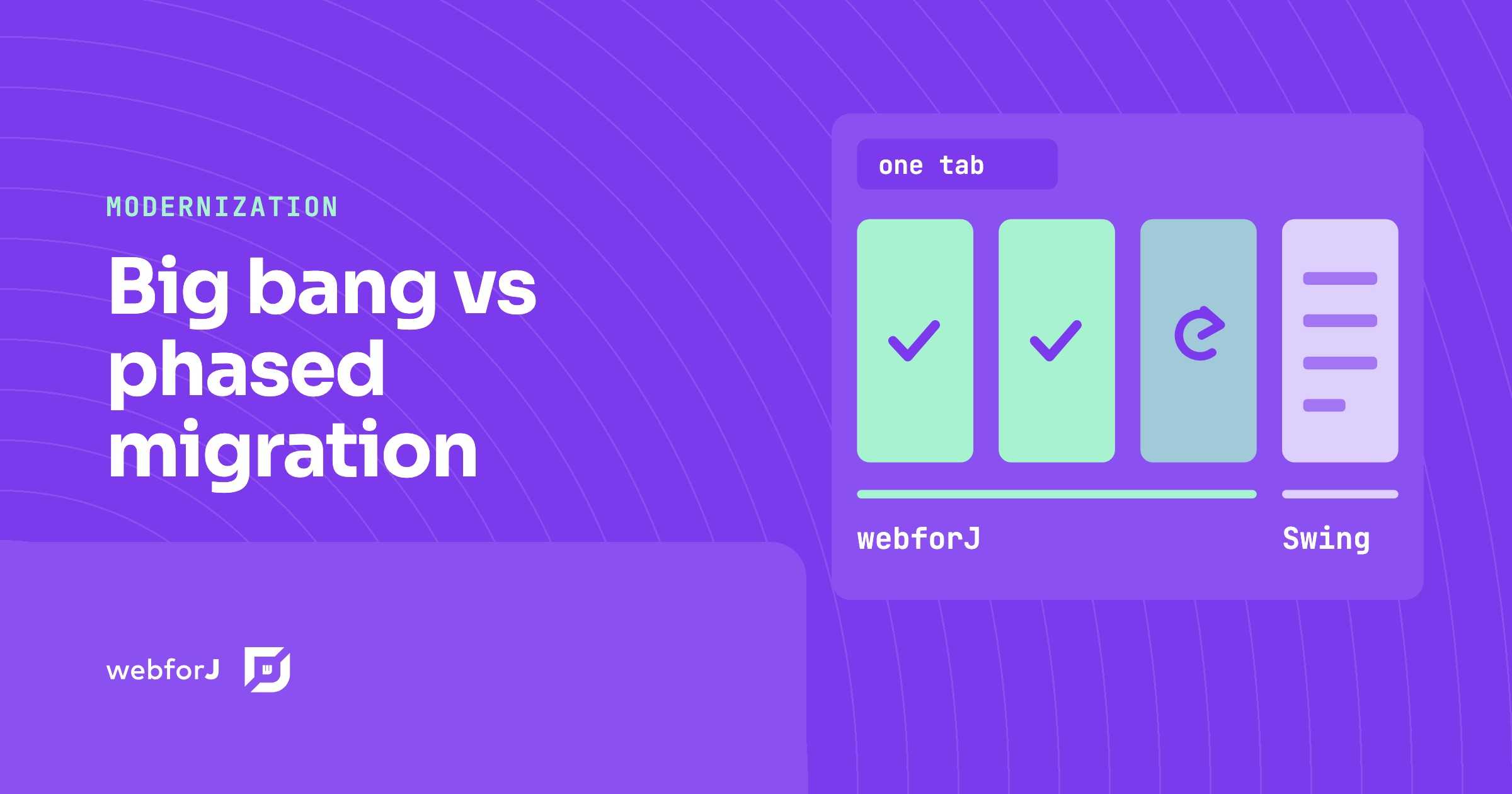
The decision to leave the desktop is made. The app runs orders, claims or payroll every day, the budget is approved, and now someone has to say how the switch happens: one date when every user flips to the new system, or a long series of small moves. That choice, big bang migration vs phased, shapes the risk of the project more than the target framework does.
For a Java desktop app the phased path has a concrete shape. Webswing runs the existing app in the browser, webforJ screens replace it one at a time inside the same tab, and every replaced screen can keep a way back to the old one until you decide to delete it.
Moving a desktop Java app to the web?
Send us a screenshot of one screen and we'll reply with how it moves to webforJ.
What a big bang cutover asks for
A big bang migration builds the new app next to the old one and switches every user on a single date. It can work, but it needs things that are hard to get for a business app with years of rules in it:
- A feature freeze long enough to rebuild everything, or a second team that rebuilds while the first keeps shipping on the old app.
- A full account of what the old app does, including the behavior nobody wrote down because the people who knew it have left.
- A rollback plan for the whole system, because on cutover day every screen changes at once.
The last point is where these projects get stuck. If one screen misbehaves after the switch, the only way back is to move every user back to the old app, together with the data they entered in the new one. That rollback is a project of its own, so teams plan around never needing it, and the cutover date turns into a deadline that can't move.
What a phased migration changes
A phased migration moves users in small steps. Each step changes one screen or one workflow, ships, and runs in production before the next one starts. The old app keeps serving everything that hasn't moved yet. This is also what people mean by an incremental migration of a legacy application.
Each step carries its own rollback plan, and that plan is small: put that one screen back. The rest of the app didn't change, so there is little else to restore. Risk stays in the project, but it comes in pieces small enough to undo.
| Big bang | Phased | |
|---|---|---|
| When users switch | All at once, on one date | Screen by screen |
| The old app during the move | Frozen, then switched off | Running for every screen not yet replaced |
| Scope of a rollback | The whole system | The one screen that changed |
| Feature work | Paused, or built twice | Continues, new features ship as new screens |
| First result users see | On cutover day | With the first replaced screen |
For a desktop app, phasing has always had one hard requirement: a bridge. Users can't run half an app on the desktop and half in a browser and call it one app. Old and new screens have to live in one place and talk to each other. That bridge is Webswing plus the webforJ WebswingConnector.
Step zero: the whole app in a browser
Webswing runs a Java desktop app (Swing, JavaFX, SWT) on the server and streams its interface to the browser on an HTML5 canvas, without modifications to the original source code. Mouse and keyboard input go back to the server and are replayed on the actual app.
For the cutover that means two things. Every user can move to the browser before a single screen is rebuilt, which takes the desktop install off the table early. And the screens they know stay as they were, because the same Swing app is still receiving their input. Shortcuts the browser keeps for itself, such as closing or reloading the tab, are the exception.
The rollback plan for step zero is the desktop build itself. The app's code hasn't changed, so the installed client still works for anyone who needs it during the transition.
Webswing is a separate product from a separate company, and using it in production requires a Webswing commercial license. The two companies are partners: Webswing runs the existing app in the browser, and webforJ carries it forward screen by screen through a supported connector.
Embed the old app in one view
The connector is WebswingConnector, a webforJ component in the webforj-webswing module, available since webforJ 25.10. Put it in a view and the Webswing-hosted app renders inside your webforJ app. From that moment the browser tab belongs to webforJ. Routes, menus and new screens can grow around the embedded app while users keep working in it.
The setup guide covers registering the app on the Webswing server and allowing your webforJ app's origin through CORS.
One screen cutover in practice
The modernization tutorial moves one screen of a Swing customer app to the web. The edit dialog moves. The customer table stays in Swing.
On the Swing side, the app detects whether it runs under Webswing and, when it does, sends an action instead of opening its own dialog:
private void initWebswing() {
  api = WebswingUtil.getWebswingApi();
  isWebswing = api != null;

  if (isWebswing) {
    setupWebswingListeners();
  }
}

private void handleDoubleClick(MouseEvent e) {
  int row = table.rowAtPoint(e.getPoint());
  if (row >= 0 && row < customers.size()) {
    Customer customer = customers.get(row);

    if (isWebswing) {
      api.sendActionEvent("select-customer", gson.toJson(customer), null);
    } else {
      showEditDialog(customer);
    }
  }
}
WebswingUtil.getWebswingApi() returns null when the app runs as a regular desktop app, so one build serves both the desktop and the browser. Running the app under Webswing needs no code change. Two-way messaging does: the Webswing API dependency and a branch like this one.
On the webforJ side, the view that embeds the app receives the action, opens a web form and sends the saved customer back:
@Route("/")
public class CustomerTableView extends Composite<FlexLayout> {
  private final FlexLayout self = getBoundComponent();

  public CustomerTableView() {
    WebswingConnector connector = new WebswingConnector("http://localhost:8080/myapp/");
    connector.setSize("100vw", "100vh");
    self.add(connector);

    connector.onAction(event -> {
      switch (event.getActionName()) {
        case "select-customer":
          event.getActionData().ifPresent(data -> {
            JsonObject customer = JsonParser.parseString(data).getAsJsonObject();
            CustomerForm dialog = new CustomerForm(customer);
            self.add(dialog);
            dialog.onSave(() -> {
              Gson gson = new Gson();
              connector.performAction("update-customer", gson.toJson(customer));
            });
          });
          break;
      }
    });
  }
}
CustomerForm is the webforJ form from the tutorial source code. Back in the Swing app, a browser action listener picks up update-customer and refreshes the table:
private void setupWebswingListeners() {
  api.addBrowserActionListener(event -> {
    if ("update-customer".equals(event.getActionName())) {
      Customer updated = gson.fromJson(event.getData(), Customer.class);
      updateCustomer(updated);
    }
  });
}
The user double-clicks a row in the table they've used for years and gets the new form. The rest of the screen is unchanged. The communication guide covers the remaining messaging API, including the initialize and start events that tell the webforJ side when the Swing app is ready.
A rollback plan for every screen
Look at what the cutover left in place. showEditDialog() is still in the Swing code, untouched, in the else branch. The new form is reached only through the select-customer action. The way back for this one screen is therefore a change to that one branch, so the Swing app opens its own dialog again, followed by a redeploy of the Swing app. The webforJ form, the other screens and the data don't move.
That turns a phased migration and rollback plan into three rules per screen:
- Keep the old Swing code for a screen until its replacement has run in production long enough to trust it.
- Route the cutover through one action, so the switch lives in one place.
- Delete the old code only when nobody needs the way back.
There is a second way back at the app level. Since the Swing app still runs as a plain desktop app when the Webswing API is absent, you can fall back to desktop deployment if needed, test new features alongside existing ones and migrate users gradually.
What users notice on each step
On the phased path users switch screens, never apps. Before their screen moves, they work in the same Swing screen, now in a browser tab. When it moves, they learn one new form, and the screens around it stay the ones they know. Nobody gets a training day for a whole new system, and the feedback on each new screen arrives while the next one is still being built.
That feedback loop is the quiet advantage of phasing. A big bang collects every surprise on one date. A phased cutover spreads them out, one screen at a time, while the old screen is still there to compare against.
Pick the order of cutovers
The tutorial's order is a good default for the mechanics of the move:
- Embed the whole app and replace only the edit dialog.
- Add webforJ navigation and menus around the embedded app.
- Replace the table with a webforJ table, and keep Swing for features that are hard to replace.
- Replace the remaining Swing screens.
Dialogs and forms make good first cutovers because they have a clear boundary: data comes in through one action and goes back through another. Which business area goes first is a separate decision. The Swing modernization decision guide orders screens by business value, and the Swing to webforJ mapping guide shows how JTable, JOptionPane and the rest translate.
When one cutover is the better call
Phasing isn't free. The hybrid phase runs a Webswing server next to the webforJ app, and the Swing code grows a few branches for the screens in flight. For a small app with a handful of screens and a team that can rebuild it in one stretch, a single cutover can cost less than the bridge. The same goes for an app whose workflows are being redesigned from scratch, where no screen has a one-to-one replacement to switch to.
For a business app that can't stop, with years of rules and users who depend on it daily, the phased path is the one that keeps every step small enough to undo.
Let an AI assistant build each screen
Every cutover produces one new webforJ screen, which is a small, reviewable unit of work for a coding assistant. The webforJ AI plugin connects the assistant to webforJ through the MCP server, which gives it live access to the documentation and validates --dwc-* design tokens, and Agent Skills, which give it workflows for building forms, styling apps, and creating components.
Ask it for a TestBed test with every screen it builds. The TestBed runs the view in a plain JUnit test with no browser and no server, so each screen comes back with a pass or a fail before you review it, and the same test guards that screen at its cutover. That's the AI verification loop applied to a migration. The assistant builds the new webforJ screens. The Swing screens inside Webswing keep running unchanged until you replace them.
Frequently asked questions
Is a phased migration slower than a big bang?
Total effort depends on the app. A phased plan puts the first replaced screen in front of users long before the last one is done, and you can stop after any step with a working app.
Can we cut over a Java app without downtime risk?
No cutover removes risk. A phased cutover keeps each change to one screen, with the old code still in place, so a problem is usually limited to that screen and the way back is short. Data a new screen has already written back to the Swing app stays written, so check it before you roll a screen back.
Does the Swing code have to change?
No, not to run it in the browser. Webswing runs it without modifications. Two-way messaging between the Swing app and webforJ needs the Webswing API dependency and a branch for each screen you move.
Plan your first screen cutover
To work out which screen moves first and how the hybrid phase runs for your app, start with the webforJ modernization path.
正在用 webforJ 构建项目?
与团队聊聊您的项目、迁移事宜,或 webforJ 是否适合您。
继续阅读
 Java applet replacement: your options after JDK 25Applets were removed from the JDK in JDK 26. Compare each Java applet replacement option, from Webswing in the browser to a rebuild in Java with webforJ.
 Strangler Fig Pattern for a Java Swing App, Step by StepApply the strangler fig pattern to a Java Swing app. Run it in the browser with Webswing, embed it in webforJ, and replace screens one at a time.
 Java Swing Alternatives: Where Business Apps Go NextJava Swing alternatives for business apps: desktop toolkits, a JavaScript front end, or a full-stack Java framework. What each means for your team and your Swing code.