A modern look and feel for Java Swing, in light and dark

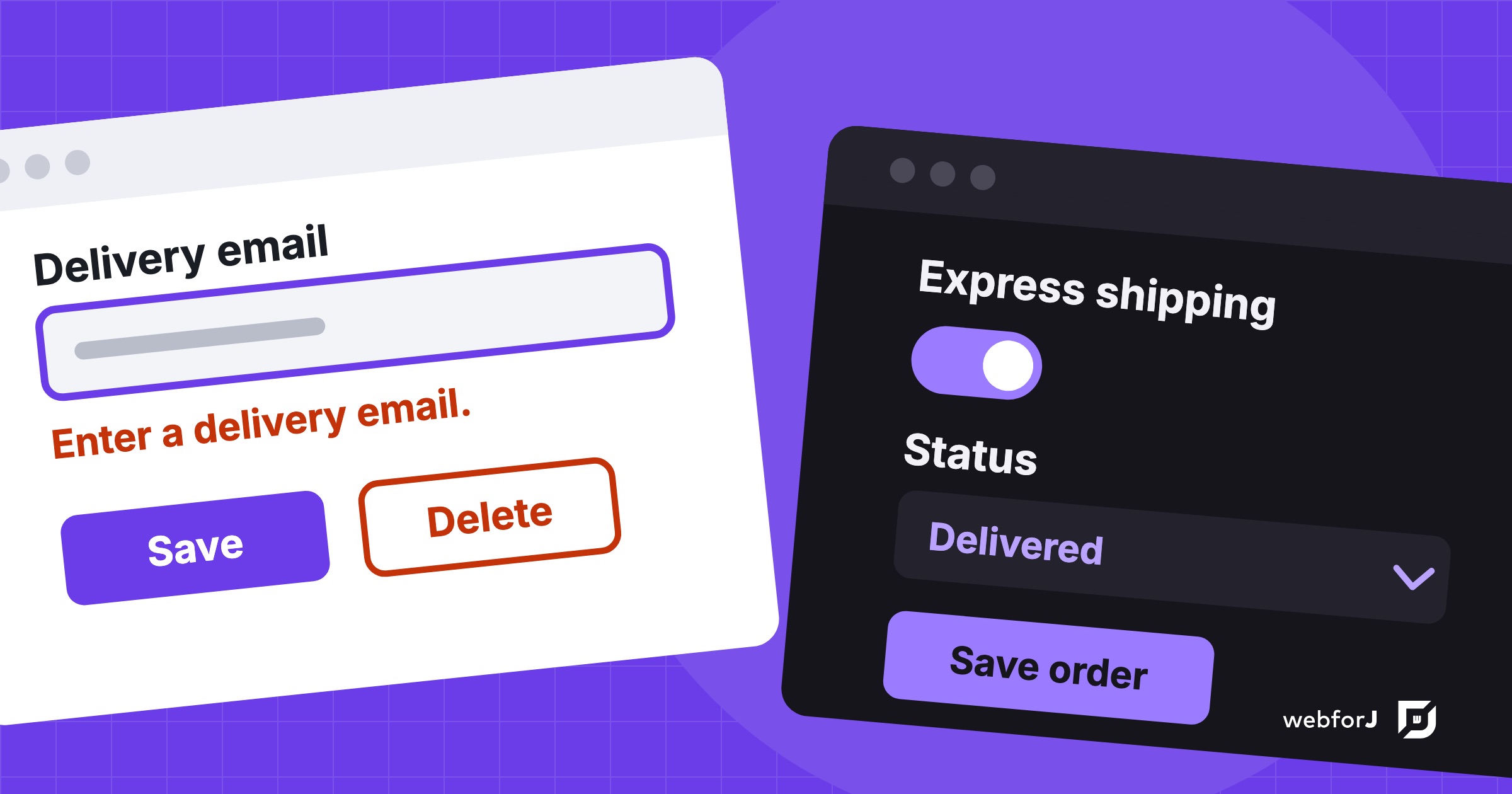
Your Swing app works, and it still looks like the year it was written. Gray buttons, tiny fonts, no dark mode. Once part of it runs next to new web screens, the gap is hard to miss, and users feel like they switch apps every time they open a dialog.
A modern look and feel for Java Swing closes most of that gap without touching your screens. The DWC Look and Feel for Swing is one JAR that gives a Swing app the colors, fonts, buttons and focus outlines of webforJ. It comes with a light and a dark palette. You select it with one call at startup.
Download the Order Desk demo and run java -jar dwc-swing-laf-demo.jar with Java 21 or newer. Switch palettes and primary colors from the View menu.
Here is the Order Desk demo with the theme installed. Switch the palette and the primary color below the screenshot, and select it to enlarge.
Every control in those windows is a standard Swing component: a JTree, a JTable, a JTabbedPane, combo boxes, a slider, and a JCheckBox drawn as a switch. Only the look and feel changed.
Moving a desktop Java app to the web?
Send us a screenshot of one screen and we'll reply with how it moves to webforJ.
Install it with one call
Download the theme JAR and add it to the classpath. On the event dispatch thread, select it before the first window opens:
try {
  UIManager.setLookAndFeel(new DwcLookAndFeel());
} catch (UnsupportedLookAndFeelException e) {
  throw new IllegalStateException(e);
}
For dark mode, use DwcDarkLookAndFeel instead. If your app already reads the look and feel from a setting, enter the class name com.basis.dwc.swing.laf.DwcLookAndFeel or com.basis.dwc.swing.laf.DwcDarkLookAndFeel, and no code changes at all.
The JAR includes both palettes and the Inter font, and it needs Java 21 or newer.
Use your brand color
The theme reads the same token names as webforJ. One token sets the primary color for buttons, selections and focus outlines:
DwcLookAndFeel.setToken("--dwc-color-primary-seed", new Color(117, 67, 188));
Danger buttons keep their own color, so a Delete button still reads as a warning. Compare the Delete and Save order buttons after switching to violet, teal, or orange in the gallery.
Labels, validation and emphasis
A Swing text field doesn't carry its own label, helper text, or invalid state. The theme adds them as client properties on the control:
email.putClientProperty(DwcLookAndFeel.LABEL, "Delivery email");
email.putClientProperty(DwcLookAndFeel.REQUIRED, true);
save.putClientProperty(DwcLookAndFeel.THEME, ButtonTheme.PRIMARY);
On Save, the field shows its error right under the input:
boolean missing = email.getText().isBlank();
email.putClientProperty(DwcLookAndFeel.INVALID, missing);
email.putClientProperty(DwcLookAndFeel.HELPER_TEXT,
    missing ? "Enter a delivery email." : "");
Other properties draw a checkbox as a switch, add stripes to a table, show tabs as a segmented control or blur the window behind a dialog. The full theme guide lists them all.
One look from desktop to web
The theme is the first step of a move to the web, not a replacement for it. A Swing app modernizes in three steps:
- Give it the new look. Install the theme, and the Swing screens share the webforJ palette.
- Run it in the browser. Webswing runs the Swing app in the browser, and
WebswingConnectorembeds it in a webforJ app. - Replace screens one at a time. Each new screen is written in Java with webforJ, and it already matches the Swing screens around it.
Without the theme, users notice every border between old and new. With it, the embedded Swing screens and the new webforJ screens share one palette, so the switch from one to the other is a lot less visible. The Swing look and feel docs show how to match the primary color and font of your webforJ theme.
For the full path, read how to migrate a Swing app to the web.
Where AI helps
The theme needs no porting, but step 3 does. An AI assistant can draft each new webforJ screen from the Swing original, and the AI verification loop for Java checks every screen with a test before your team reviews it.
Frequently asked questions
Do I have to change my Swing screens?
No. The theme is selected once at startup. Client properties for labels, helper text or a primary button are optional, and you add them where you want them.
Is there a dark theme for Java Swing?
Yes. DwcDarkLookAndFeel is the Swing dark theme. A primary color set with setToken stays when you switch between light and dark.
Put the new look on your Swing app
Run the Order Desk demo, then add the JAR to your own app and open its busiest screen. To plan the move to the web from there, start on the Swing modernization page.
Building something with webforJ?
Talk to the team about your project, a migration, or whether webforJ fits.
Keep reading
 Run a Java Swing Application in the Browser Without a RewriteRun a Java Swing application in the browser without changing its source. Webswing streams it to a tab, and webforJ lets web screens replace it over time.
 Convert Swing to web: a Swing to webforJ mapping guideConvert a Java Swing app to a web app screen by screen: map JFrame, layout managers, JTable, JOptionPane and SwingWorker to webforJ, with before and after code.
 Webswing and webforJ: a modernization roadmapTurn a legacy Java desktop app into a web app by using webforJ and Webswing to deploy it to the web and modernize it incrementally.
