The Data Binding Feature Past Matthew Really Needed

A little while after moving back to the US from working in Germany I was tasked with a colleague of mine to learn some Spring. Bryan and I were in the exact same boat of being totally new to anything more than Java basics, and one of the first tasks we bumped into together was this: take a form on the screen, and wire it up to a Java object that had, of all things, another Java object nested inside of it.
Sounds simple, and it no doubt is to those who are used to Spring and how it works. For us, it was not.
We were told to work with our colleague in Bulgaria to get help, and while he was certainly a Spring expert, the time different meant that we ended up spending days on it. We wrote getter chains, we wrote wrapper DTOs, and we eventually got something working that neither of us really understood. Of course, these days I'd just ask Claude, but he and I hadn't yet been acquainted back then.
If you'd asked me at the time what the "right" way to bind a nested object was, I would have been painfully clueless.
Fast forward to now, and webforJ has this feature baked right in. Past Matthew and past Bryan would have been genuinely thrilled.
What "nested" actually means here
Let's use a concrete example, since "nested objects" can mean a lot of things depending on who you ask. I built a small demo project called webforj-databinding that models an employee onboarding form. The domain looks like this:
public class Employee {
  private String firstName;
  private String lastName;
  private String email;
  private String role;

  @Valid
  private Address address = new Address();

  @Valid
  private EmergencyContact emergencyContact = new EmergencyContact();

  // getters and setters
}
The Employee has some flat fields on it, but it also holds an Address and an EmergencyContact, each of which is its own bean with its own fields and its own validation rules. The Address has a street, a city, a postal code, and a country. The EmergencyContact has a contact name, a relationship, and a phone number.
On the UI side, all of these live together on a single form. The user doesn't know or care that the data behind the scenes is split across three Java objects, they just see a nicely laid out form with three sections.
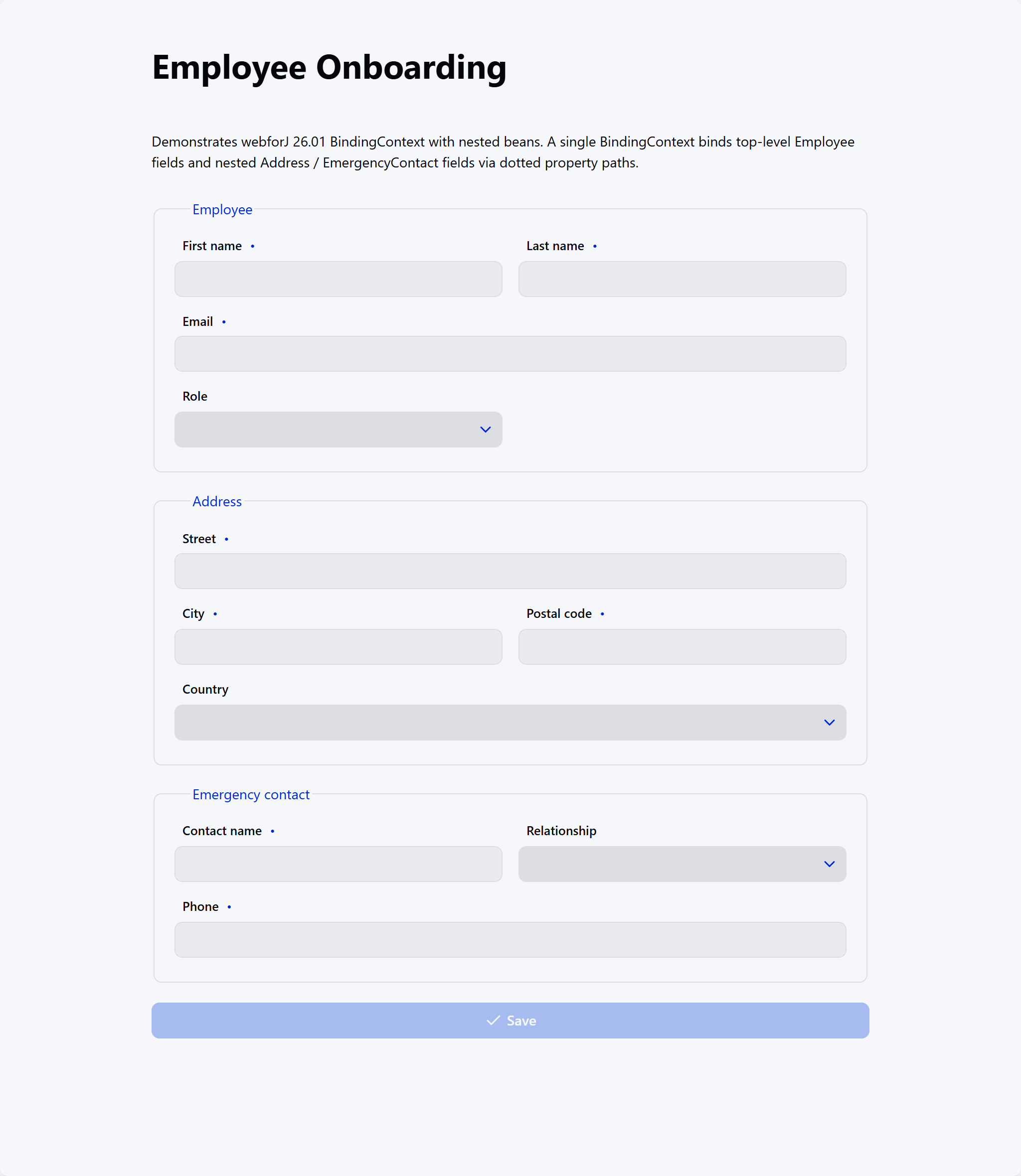
The question, and this is the question that stumped past me for days, is: how do you wire a TextField labeled "Street" to employee.getAddress().setStreet(...) without writing a big pile of manual glue code every time?
Why past Matthew was suffering
Back when Bryan and I were figuring this out, the "solution" involved a healthy amount of manual work:
- Reading each UI field and pushing its value into the correct nested getter/setter chain by hand.
- Doing the reverse when we wanted to populate the form from an existing object.
- Reinventing null checks, because if the nested object hadn't been created yet, we'd blow up on
getAddress().setStreet(...). - Wiring validation into each field ourselves, one at a time.
Multiply that by however many fields and however many nested objects a real form has, and you end up with a lot of code that's easy to get subtly wrong. And when you get it subtly wrong, the bug is usually "the form looks fine but the save silently dropped half the data," which is the worst kind of bug.
One BindingContext to rule them all
Here's the whole binding setup in the demo:
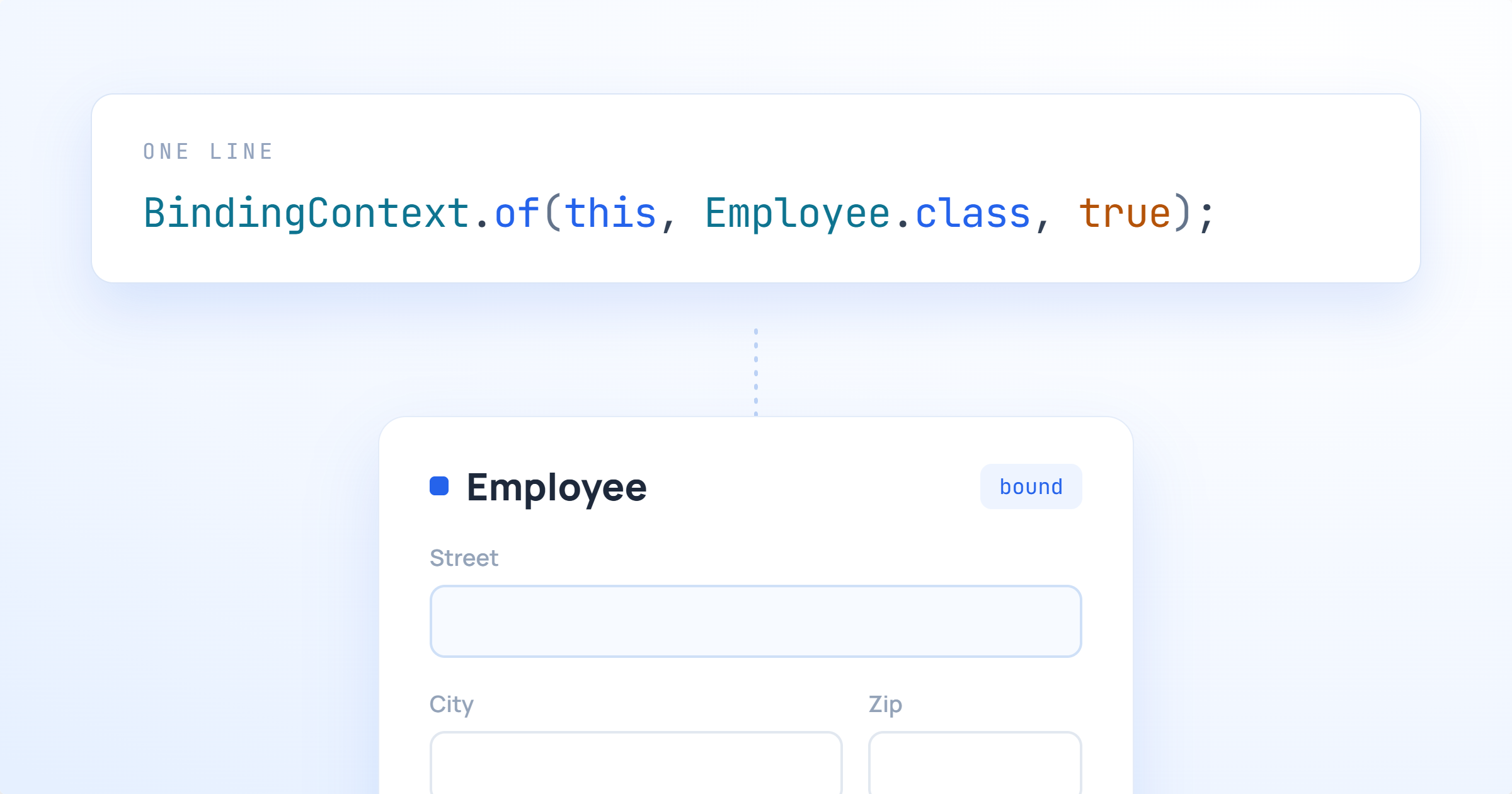
context = BindingContext.of(this, Employee.class, true);
That's the single line that takes care of everything, without needing a separate BindingContext for each object.
BindingContext.of() scans the view, looks at every field that could reasonably be bound, and figures out how to connect each one to a property on the Employee. If the UI field's name matches an Employee property, it binds automatically. If it needs to reach into a nested object, you tell it with a single annotation:
@UseProperty("address.street")
private final TextField street = new TextField("Street");

@UseProperty("address.city")
private final TextField city = new TextField("City");

@UseProperty("emergencyContact.phone")
private final TextField phone = new TextField("Phone");
The dotted path is exactly what you'd expect it to be. address.street means "go into the address property, then set street on that." You don't need to chain a whole bunch of things together repeatedly. If the nested Address object doesn't exist yet when you write, it's created for you through a no-arg constructor and moves on.
Reading data from an existing employee is one line, and writing back is one line:
context.read(current);   // populate the form from the object
// ...user fills things out...
context.write(current);  // pull form values back into the object
That's the whole story, and keeps the complexity way, way down.
Validation comes along
The other thing that would have made past me tear his hair out is validation across nested objects. Each of the three beans has its own Jakarta validation rules. Employee requires a non-blank first name and a valid email. Address requires a non-blank street and city. EmergencyContact requires a phone number that matches a specific pattern.
Because I annotated the nested fields on Employee with @Valid, validation cascades all the way through automatically:
public class Employee {
  @NotBlank(message = "First name is required")
  private String firstName = "";

  @Valid
  private Address address = new Address();

  @Valid
  private EmergencyContact emergencyContact = new EmergencyContact();
}
When the user clicks Save, context.write() validates the whole tree in one shot. If anything fails, the appropriate field on the UI lights up with the appropriate message, whether that field lives on the top-level Employee or two layers deep. I didn't have to write custom code to make that happen, I just wrote the rules on the domain objects where they belong and let the framework handle the wiring.
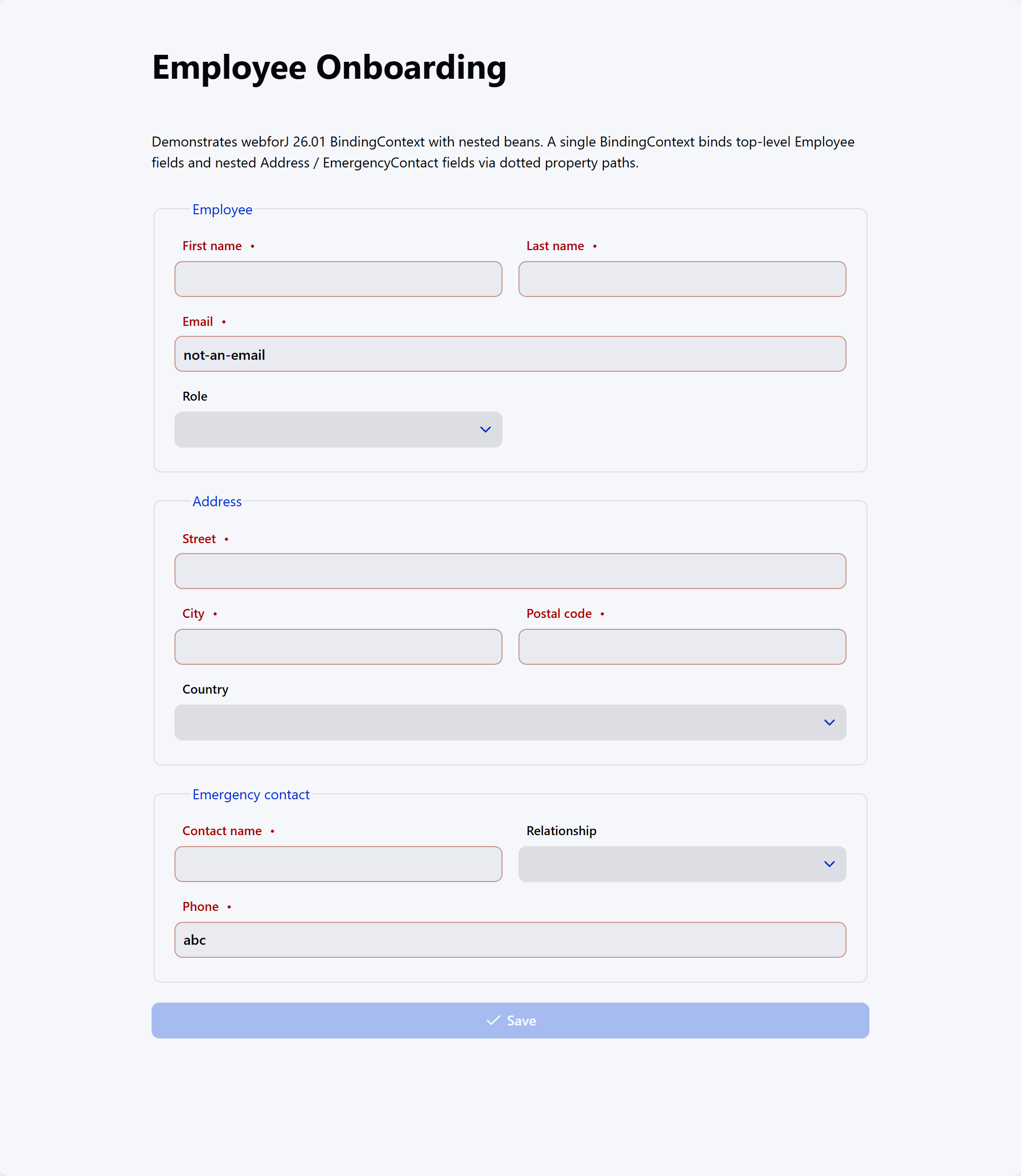
Every one of those red-labeled fields is telling the same story from a different layer of the object graph, Employee, Address, and EmergencyContact, all reporting up through the one BindingContext.
I also hooked the Save button up to the binding context's validation state:
context.onValidate(e -> saveButton.setEnabled(e.isValid()));
Now the button is only enabled when the whole form, nested objects and all, is valid. One line, again.
What the form actually does
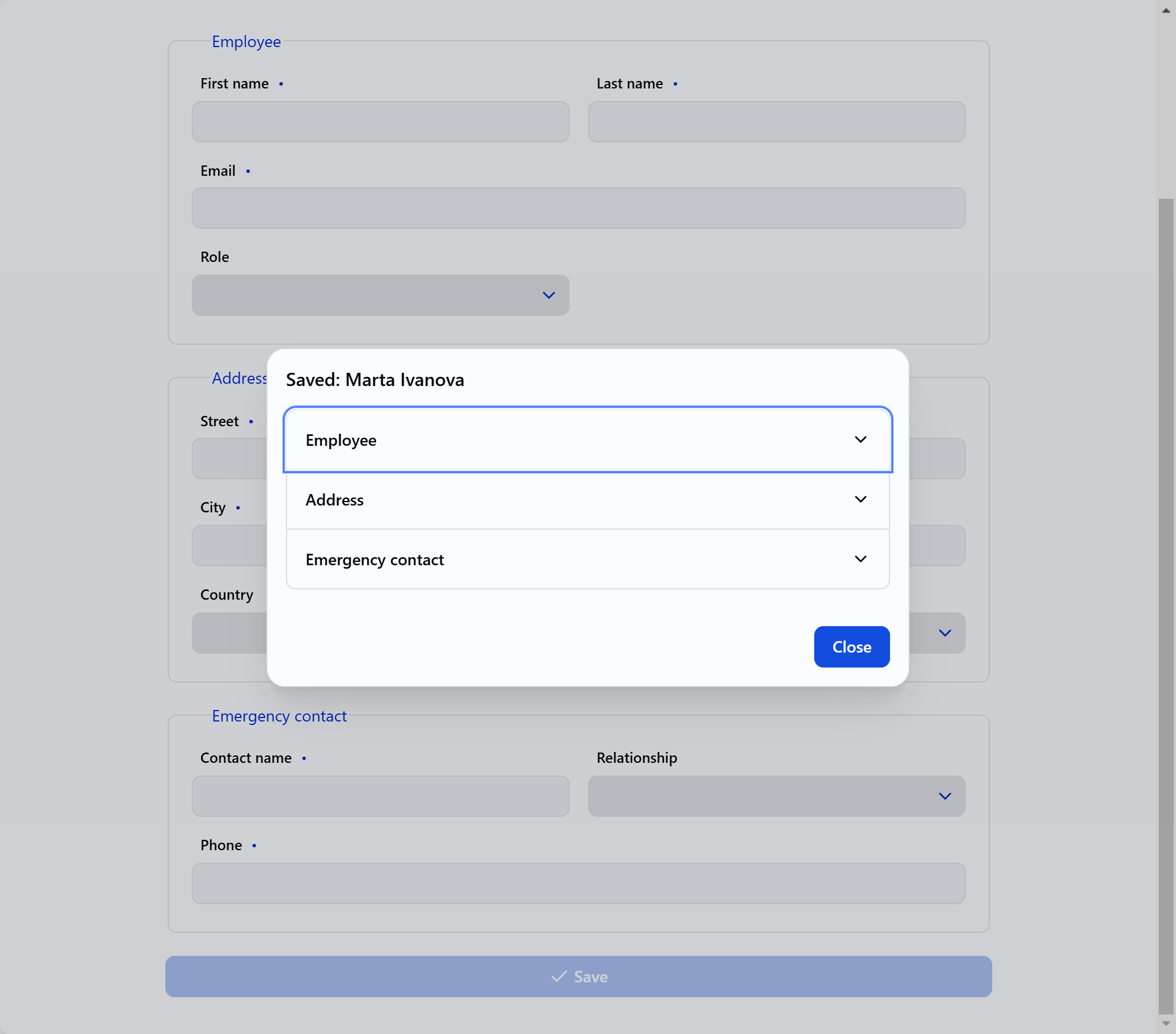
The demo view is called EmployeeFormView, and it's a single @Route("/") composite that lays out three fieldsets, Employee, Address, and Emergency contact, using a ColumnsLayout for a responsive two-column grid. When Save is clicked, we call context.write(current), check the ValidationResult, and open a Dialog that displays the saved employee back to you in an Accordion with one panel per section.
The dialog isn't really the point of the post, but I wanted to include it because it's a nice illustration of what the nested structure looks like once it's populated. All three panels of the accordion pull from the same Employee object, one from the top-level fields, one from employee.getAddress(), and one from employee.getEmergencyContact().
Would past Matthew have understood this?
Yep. And that's the point.
The thing that made the original problem hard for me and Bryan wasn't that the concept of nested binding was complicated. It's that the tools we were using at the time made us do all the plumbing ourselves, and the plumbing was where the complexity lived. If we'd been able to write @UseProperty("address.street") above a TextField and call it a day, we would have spent our week actually learning Java and Spring instead of arguing about how to marshal data between three different mental models of the same form.
If you're new to Java, new to webforJ, or just new to this particular problem, I'd encourage you to skip the multi-day detour we took. Grab the demo, read through EmployeeFormView, and see how little code it takes to wire up a form that would have kept me busy for a week two years ago.
Get the source
The full project lives here:
View the webforj-databinding project on GitHub
It runs on Java 21 and Maven 3.9+, and you can start it with a single mvn jetty:run. Clone it, tweak it, rebuild it, and see how the pieces fit together.
Learn more
- Data binding overview, the nested property pattern lands in webforJ 26.01
- Validation, learn about how easy validating data is with webforJ
- Automatic Binding, a small line of code that does the heavy lifting
Data binding is one of those features that, when it works, you barely notice it. And that's exactly how it should be. Past Matthew spent days on a problem this feature solves in one line, and that's a win I'll happily take.