The Demo That Taught Me webforJ Events

A lot of what I understand about webforJ, I picked up by building things while writing the documentation. Explaining a feature is one thing. Building something small that actually uses it is where I find out whether I really understood what I was about to explain to everyone else.
That's how it went with custom events. I was writing the events documentation, reached the section on a component firing its own event, and wanted to build one myself before I explained it. I try to build around real scenarios, an actual form, an actual list, something close to what you'd ship, and building it confirmed what the pattern is actually good for: one component announcing and another reacting, all in plain Java without touching JavaScript.
Why building it for real mattered
Not every concept has a realistic demo hiding in it. Some ideas are abstract enough that forcing a real-world scenario onto them just adds noise, and a stripped-down example is the honest choice. Custom events are different. The reason they exist only shows up in a real scenario, so a toy example undersells the feature and can even teach the wrong lesson. If you show an event firing on a lone button that updates its own label, you've technically demonstrated an event, but you've also suggested it's extra work for no reason, since a button updating itself never needed a custom event to begin with.
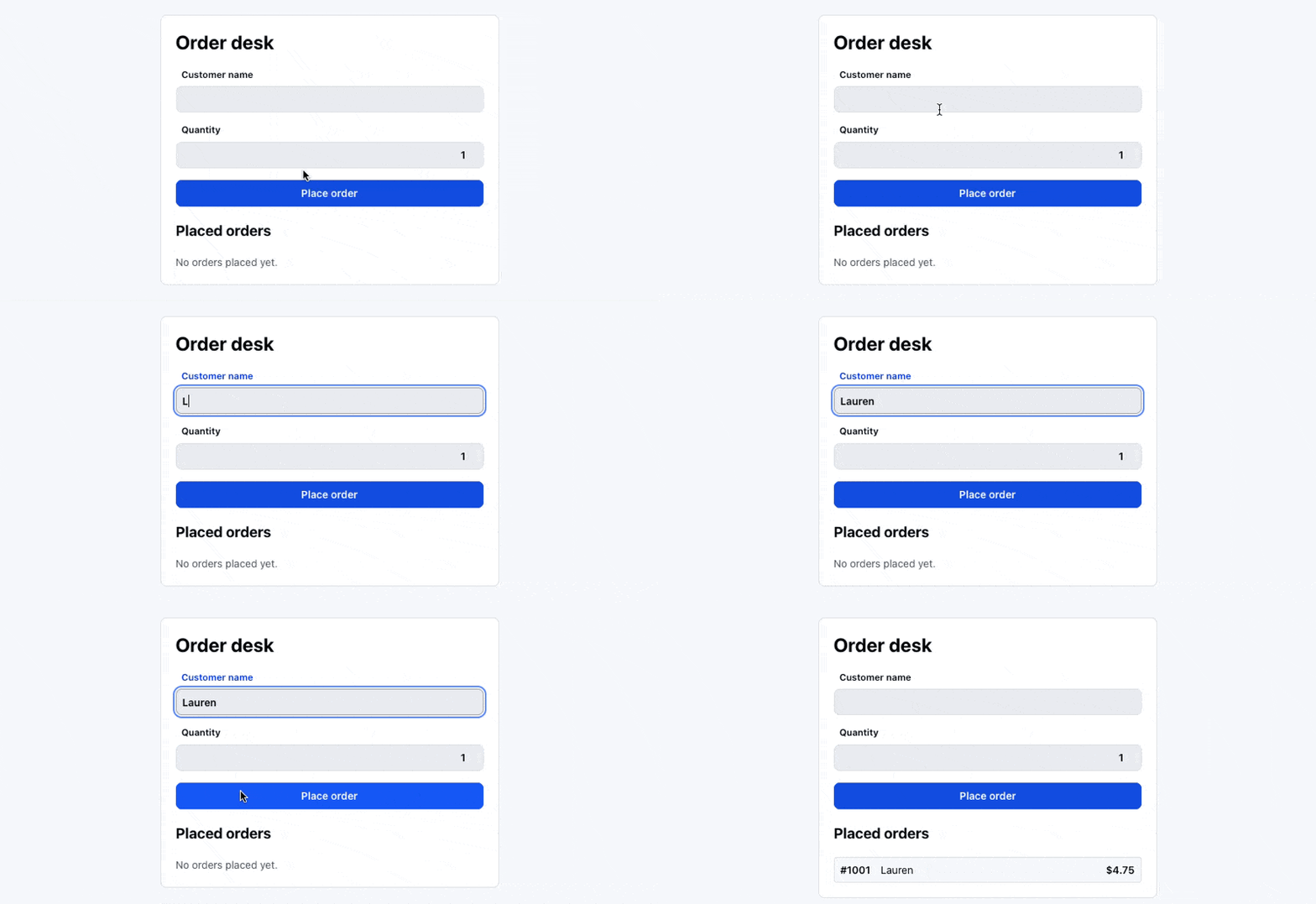
The question a reader actually has is when they'd make their own event instead of just doing the thing directly. You can only answer that with a case where it's genuinely worth it, and that case comes up all the time in real apps. So I used an order form. You fill in a customer and a quantity, place the order, and it appears in a list of placed orders. It looks simple, but it has the ingredient a self-contained example lacks: something happens inside one component that a different part of the screen needs to know about. That's what custom events are for, and webforJ has a built-in way to do it.
Building it the right way
My first instinct was to hand the order form a reference to the list and let the form add rows directly. Fast to write, and it would have worked for the demo.
But building it that way, I could tell it was teaching a bad habit. The form would now know about the list, and if I reused it anywhere without a list, it would break. The whole point of the doc I was writing was that you don't do this. You let the component announce what happened and let something else decide what that means.
webforJ makes that the straightforward path. A component holds its own event dispatcher, offers a way to subscribe, and fires an event when something happens. On the form side, that's a dispatcher, an onSubmit method for others to subscribe through, and a dispatchEvent call once the order is validated:
public class OrderForm extends Composite<FlexLayout> {
  private final EventDispatcher dispatcher = new EventDispatcher();

  public ListenerRegistration<OrderSubmittedEvent> onSubmit(
      EventListener<OrderSubmittedEvent> listener) {
    return dispatcher.addListener(OrderSubmittedEvent.class, listener);
  }

  private void submitOrder() {
    // validate the customer name and quantity...

    dispatcher.dispatchEvent(
        new OrderSubmittedEvent(this, "#" + (++counter), name, count * UNIT_PRICE));
  }
}
The form doesn't touch the list at all. It validates the input, then reports that an order was placed and what was in it. The surrounding view listens and adds the row:
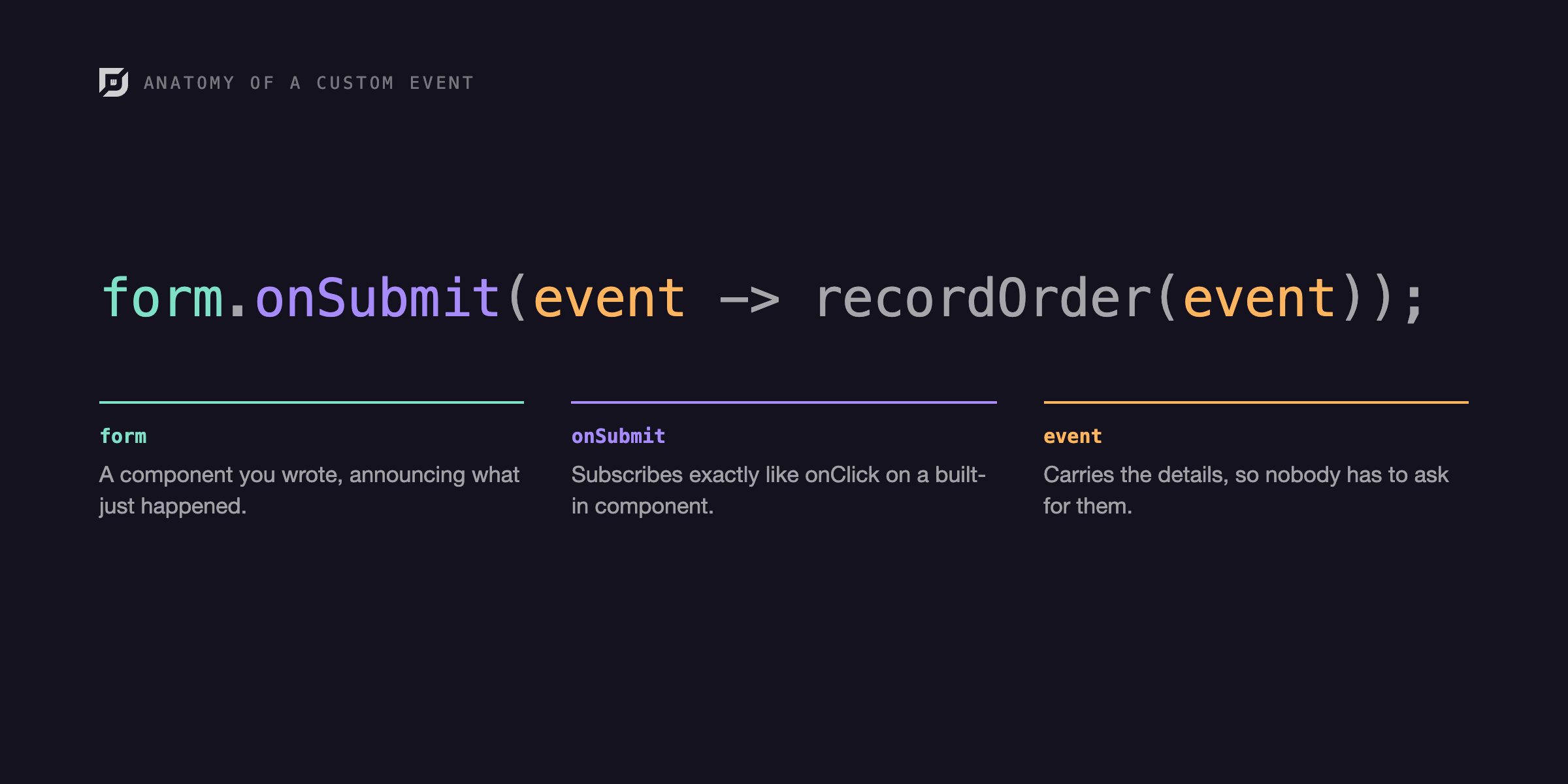
form.onSubmit(event -> recordOrder(event));
That line is the whole point. The onSubmit call works the same as onClick on a built-in component, so a component I wrote plugs into the app the same way webforJ's own components do. The view has no idea what's inside the form. It knows an order happened, and the details it needs came along with the event, so it never has to go back and ask.
What stuck with me is that all of it, the event, the dispatch, and the handler, is plain Java running on the server. There's no client-side event wiring to set up and no data to serialize across the wire by hand. When I want to work directly in the client, webforJ still lets me, which is what the Element APIs and client-side event options are for. But for connecting one component to another like this, I didn't need to leave Java at all.
The part writing the docs forced me to get right
Writing docs has a useful side effect: you can't skip the parts you'd normally gloss over, because you're about to explain them to everyone else. My demo is a single long-lived screen, so it never had to deal with this, but the doc did, and writing it made me sit with something I usually rush past, which is cleanup.
Anything that subscribes to an event holds on. The dispatcher keeps its listeners, and each listener keeps a reference to whatever it captured, the view and its data included. For something that lives as long as the app, like my order desk, you never notice. But once you have short-lived things opening and closing, like dialogs or views you navigate away from, a subscription nobody removes becomes memory that can't be freed, because a dispatcher somewhere is still holding it.
webforJ makes this manageable rather than leaving you to track it yourself. When you subscribe, you get back a registration, and removing the listener later is a single call. Combined with the component lifecycle, cleanup ends up as one line in a component's teardown, right where you'd look for it. My demo didn't need it, but I was glad to see the framework makes the responsible version the easy one for the cases that do.
What I took away from it
Now, when a component does something the rest of the app might care about, my default is to have it announce the event and stay out of the way, rather than reaching across the screen to do the next thing itself. The components end up easier to move around, the views wire up in a line or two, and I write far less code whose only job is to ask a component about something it already knew.
I reach for this easily because webforJ keeps the clean version simple, and because it's all Java. Firing your own events, subscribing to them, and cleaning them up are all built into the framework, they behave like the events on webforJ's built-in components, and they run on the server in the same language as the rest of the app. JavaScript is there when you want it, not something you have to write just to connect two components.
If you want to try it, the events documentation covers the whole thing, defining an event, dispatching it from a component, and cleaning up afterward. This post was the story of what building the demo taught me. The docs are where you'd go to build your own.
Building something with webforJ?
Talk to the team about your project, a migration, or whether webforJ fits.
Keep reading
 FlexLayouts Part 2: Getting your Flex Items in OrderCreating dynamic layouts in Java with webforJ's FlexLayout
 FlexWrap your mind around webforJ's FlexLayoutA guide to configuring and using webforJ's FlexLayout
 Why Teams Keep JSP Alive, and What a Java-Native Path Forward Looks LikeThe SERP routes JSP to Thymeleaf or React. There is a third path — replace the page with a Java component tree — and this post maps the shape of it.