Run a Java Swing Application in the Browser Without a Rewrite

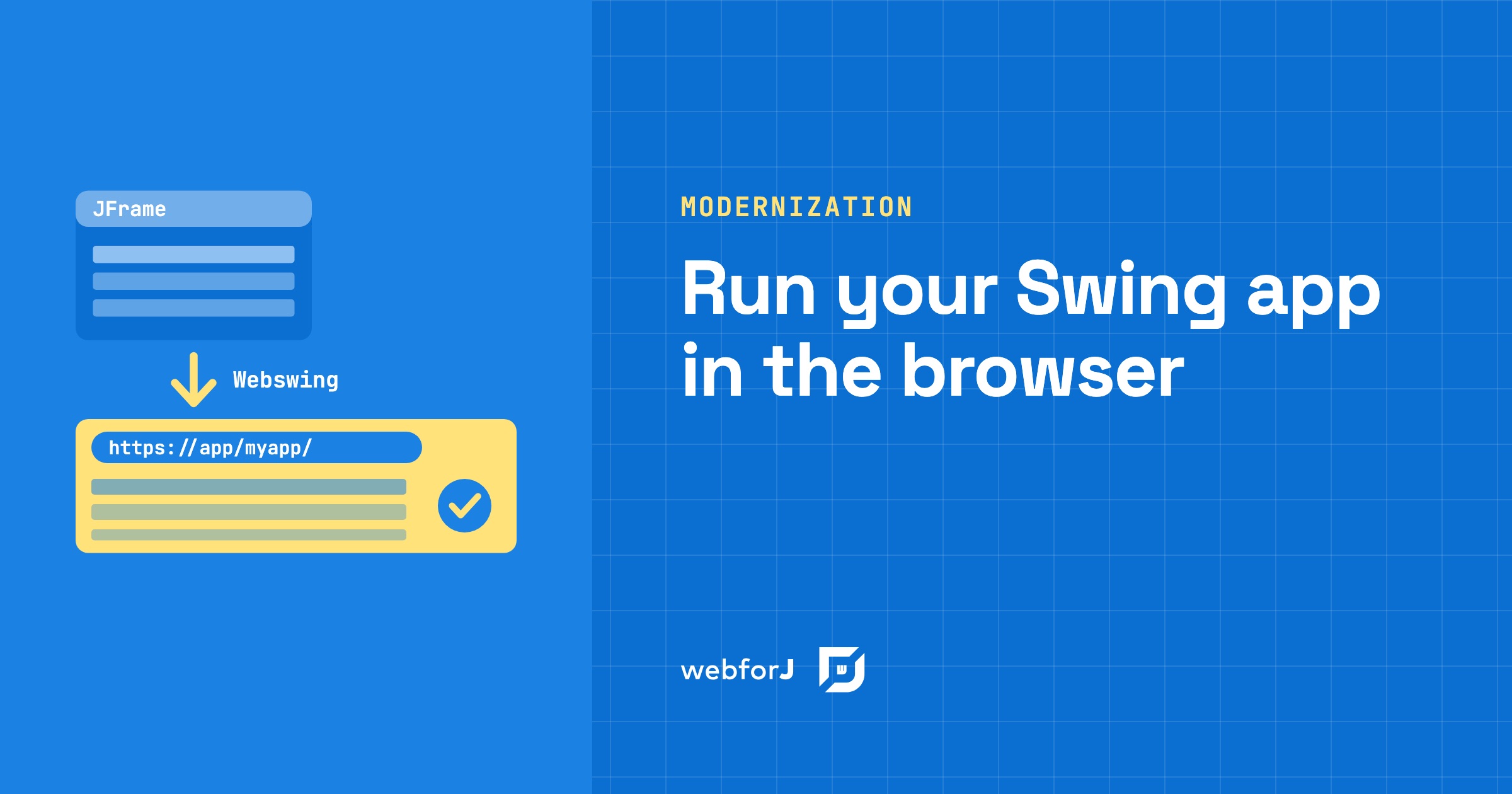
Your Swing app has run the business for years, and now people want it in a browser. Some work remotely, some have laptops without Java, and a rewrite would take months before anyone gets a result. So the real question is narrow: can you run a Java Swing application in the browser with the code you already have?
You can. Webswing runs the existing app on a server and streams its interface to a browser tab, and the source code doesn't change. Once the app lives in the browser, webforJ, the full-stack Java framework for business web apps where you build the whole app, screens included, in Java, can embed it and take over its screens one at a time.
Moving a desktop Java app to the web?
Send us a screenshot of one screen and we'll reply with how it moves to webforJ.
Can a Swing app run in a web browser?
Yes. Webswing is a web server technology that lets Java desktop apps built with Swing, JavaFX or SWT run in a web browser without any modification to their source code. The app still runs as a Java program, on the server. Webswing renders it there, streams the interface to the browser through an HTML5 canvas, and sends mouse and keyboard input back to the server, where it's replayed on the actual Swing app.
Your users get the app they already know. They no longer install Java or start a JAR on their own machine.
Do I have to change my Swing code?
Not to get it into the browser. Webswing takes the app packaged as a JAR file, and the work happens on the server:
- Download Webswing, extract the archive and start the server with the script for your platform.
- Open the admin console and register the app: a name, which becomes part of the URL path, the main class, the classpath with your JAR and its dependencies, JVM arguments and a home directory.
- Open the server address followed by the app name, and the Swing app appears in the browser.
The setup guide walks through each setting. Code changes only come in later, if you want the Swing app to talk to a web app around it. Then you add the Webswing API dependency to the Swing project. The API returns null when the app runs as a regular desktop app, so one build keeps working in both places.
Why go further than a browser tab?
Webswing on its own gives you the old app at a web address. Most teams want new screens built for the web, while the parts that still work keep running.
That's the job of webforJ's WebswingConnector component. It embeds a Webswing-hosted app directly inside a webforJ app, so the old app becomes one part of a new web app instead of the whole thing.
Embed the app in a webforJ view
The connector ships in the webforj-webswing module and needs webforJ 25.10 or later. You place it in a view with the address of your Webswing app, and it connects when it's added to the page. The Swing UI then renders inside the component.
Two settings matter when both servers run. Webswing and webforJ both default to port 8080, so one of them has to move. And because the webforJ page loads content from the Webswing server, you add the webforJ app's origin to the allowed origins of your app in the Webswing admin console.
From here you have a webforJ app with one view that holds the old app. You can add routes and new screens around it without the Swing code knowing.
What happens after it runs in the browser?
The two sides talk through the connector, as the communication guide shows. The webforJ app calls performAction() to send a named action, with optional data, to the Swing app. In the other direction, the connector fires an initialize event when the connection is ready, a start event when the Swing app has fully loaded, and action events for the custom actions the Swing app sends through the Webswing Java API.
That channel lets web screens take over one at a time. In the modernization tutorial, a Swing customer table stays in place, but double-clicking a row opens a webforJ form instead of the old Swing dialog. When the user saves, webforJ sends the updated customer back and the Swing table refreshes. Next come webforJ navigation and menus around the embedded app, then a webforJ table in place of the Swing one, until no Swing components are left.
The original Swing app stays functional the whole time, so you can fall back to desktop deployment and move users over gradually.
For the full migration, the Swing to web migration guide maps Swing concepts to webforJ screen by screen, and the strangler fig pattern for Swing shows how the new app grows around the old one until it can be retired.
Let an AI assistant port the screens
Once the app runs inside webforJ, each Swing screen you replace is a small, separate job. A coding agent can do that port, and the webforJ AI plugin connects it to the framework. One install adds the MCP server, which gives the agent live access to webforJ documentation and API checks, and the Agent Skills, which give it task-specific workflows for building forms and components.
Ask the agent for a test with every screen it ports, so each one comes back with a pass or a fail before you review it. That write, check, review cycle is the AI verification loop for Java, and it suits this path well, because the Swing app keeps running while each new screen is checked on its own.
Frequently asked questions
Does this work for JavaFX and SWT apps too?
Yes. Webswing runs Swing, JavaFX and SWT desktop apps in the browser, and WebswingConnector embeds any app the Webswing server hosts.
Should I compare this with a full rewrite?
If you are still choosing a direction, how to migrate a Swing app to the web compares the paths side by side. This post covers the first step of the combined one: getting the existing app into a browser today.
Register your Swing app on Webswing
Install the Webswing server, register your Swing app in the admin console and open it in a browser. Then follow the Webswing setup to add the webforj-webswing dependency and put WebswingConnector in one view, and pick the dialog your users open most as the first screen to replace.
¿Creando algo con webforJ?
Habla con el equipo sobre tu proyecto, una migración o si webforJ es lo que necesitas.
Seguir leyendo
 Convert Swing to web: a Swing to webforJ mapping guideConvert Swing to web screen by screen: map JFrame, layout managers, JTable, JOptionPane and SwingWorker to webforJ, with before and after code.
 Webswing and webforJ: a modernization roadmapTurn a legacy Java desktop app into a web app by using webforJ and Webswing to deploy it to the web and modernize it incrementally.
 Modernize a Java Swing app without JavaScript: JavaOne 2026Watch how to modernize a Java Swing app without JavaScript: run it in the browser with Webswing, then build new screens in Java with webforJ, step by step.