~/webforj/blog $ ls --tag=insights → 55 posts rss

55 posts tagged with "Insights"

Comparisons, migration paths, and framework decisions for Java teams.

View all tags

Java full stack framework: UI to database in one codebase

· 8 min read

Eric Handtke
Software Developer

cover image

webforJ is a Java full stack framework. You write the UI, routing, forms, validation, security and data access in Java, inside one project, with one build. On Spring Boot it ships as a single executable JAR, and your views receive services and repositories through constructor injection like any other Spring bean.

That removes the second half of the usual "Java backend plus JavaScript frontend" setup: the separate frontend project, the API contract between the two, and the validation you write twice. This post lists what a full stack Java app contains in webforJ, then walks through a small slice from entity to table to form.

GWT alternative: keep your UI in Java with webforJ

· 9 min read
webforJ
Do it all in Java. The full-stack Java framework for business web apps.

cover image

webforJ is a full-stack Java framework and a GWT alternative for teams that want to keep writing their UI in Java but no longer want a Java-to-JavaScript compile step in the middle. You build screens from Java components, they run on the server inside your Spring Boot app, and the browser renders them. There is no client-side code to compile and no RPC layer between the UI and your services.

This post compares the two models, maps GWT concepts to their webforJ counterparts, and shows how a team can move an existing GWT app one screen at a time.

Low code to pro code in Java: visual editing with no lock-in

· 8 min read
webforJ
Do it all in Java. The full-stack Java framework for business web apps.

cover image

The way to go from low code to pro code in Java without lock-in is to keep the Java as the only source of truth and let the visual tool write to it. That is how craftforJ works. It runs inside your webforJ app in development mode, lets you select components and change their properties on the live page, and writes the changes you keep into the Java file that created them. There is no separate model to export and no generated layer to fight with.

OpenXava alternative: write Java views, skip the generator

· 8 min read
webforJ
Do it all in Java. The full-stack Java framework for business web apps.

cover image

You have a domain model, a deadline, and a business app to deliver. Someone suggests a tool that turns your entities into working screens, and someone else asks what happens when the first customer wants a screen that looks different from the rest.

If you are searching for an OpenXava alternative, webforJ, the full-stack Java framework, is the choice when you want to write your screens yourself. You build views as Java classes with full control of layout, components, routing and validation, and an AI coding agent with the webforJ AI plugin writes them quickly and correctly. That removes the main reason to accept generated screens.

Swing modernization for enterprises: a decision guide

· 8 min read
webforJ
Do it all in Java. The full-stack Java framework for business web apps.

cover image

Somewhere in your portfolio there is a Java desktop app that people depend on every day. It carries years of business rules, nobody wants to change it, and the requests to put it in a browser keep coming. Swing modernization for enterprises is the work of moving that app to the web without stopping the business that runs on it. Our recommendation is a three-phase path: run the existing app in the browser now with Webswing, rebuild screens in webforJ, the full-stack Java framework, in order of business priority, then retire the desktop client. Your Java team and your business logic stay in place the whole way.

React with a Java backend: when it fits, and the all-Java option

· 11 min read
webforJ
Do it all in Java. The full-stack Java framework for business web apps.

cover image

You have a Java team, a Spring Boot backend and a screen to build. Everyone says the next step is React, so you search for how to use React with Java and find a long list of tutorials that start the same way: build a REST API first.

React with a Java backend is a legitimate architecture, and for some products it is the right one. For most business apps built by Java developers it is more machinery than the job needs. webforJ, the full-stack Java framework, builds the screens in Java too, so a view calls your Spring services directly and the API layer between them is not needed for the screens.

What is the easiest Java web framework? A checklist

· 10 min read
webforJ
Do it all in Java. The full-stack Java framework for business web apps.

cover image

You know Java. You need a web app. Every "easy" framework you find promises the same thing, and none of them says what easy means, so you end up comparing adjectives instead of facts.

The easiest Java web framework is the one that asks the least of you before the first screen works: one language, one build tool, one command to run. webforJ, the full-stack Java framework, is the easiest Java web framework for business apps by that measure, and this guide gives you eight checks you can run against any framework to see for yourself.

Java full stack objections and how webforJ answers them

· 7 min read
webforJ
Do it all in Java. The full-stack Java framework for business web apps.

cover image

Suggest building the whole app in Java and someone on the team will push back. It adds latency, it shuts you out of the JavaScript ecosystem, it won't feel like a real app.

Those are fair questions about full stack Java, where one Java codebase covers the UI, the routing, and the data. With webforJ, the full-stack Java framework, each one has a concrete answer, and a few turn out to be habits you can avoid rather than limits of the model.

Why Teams Keep JSP Alive, and What a Java-Native Path Forward Looks Like

· 11 min read
webforJ
Do it all in Java. The full-stack Java framework for business web apps.

cover

The customers.jsp has been in production since 2011. The team knows every quirk: the pageContext.getAttribute calls that pull in the session-managed customer list, the JSTL loop that renders the rows, the shared header partial included from /WEB-INF/includes/header.jsp. It works. Operations knows how to deploy a WAR. The business rules are encoded in the tag libraries. On Monday, leadership asked for a modernization plan.

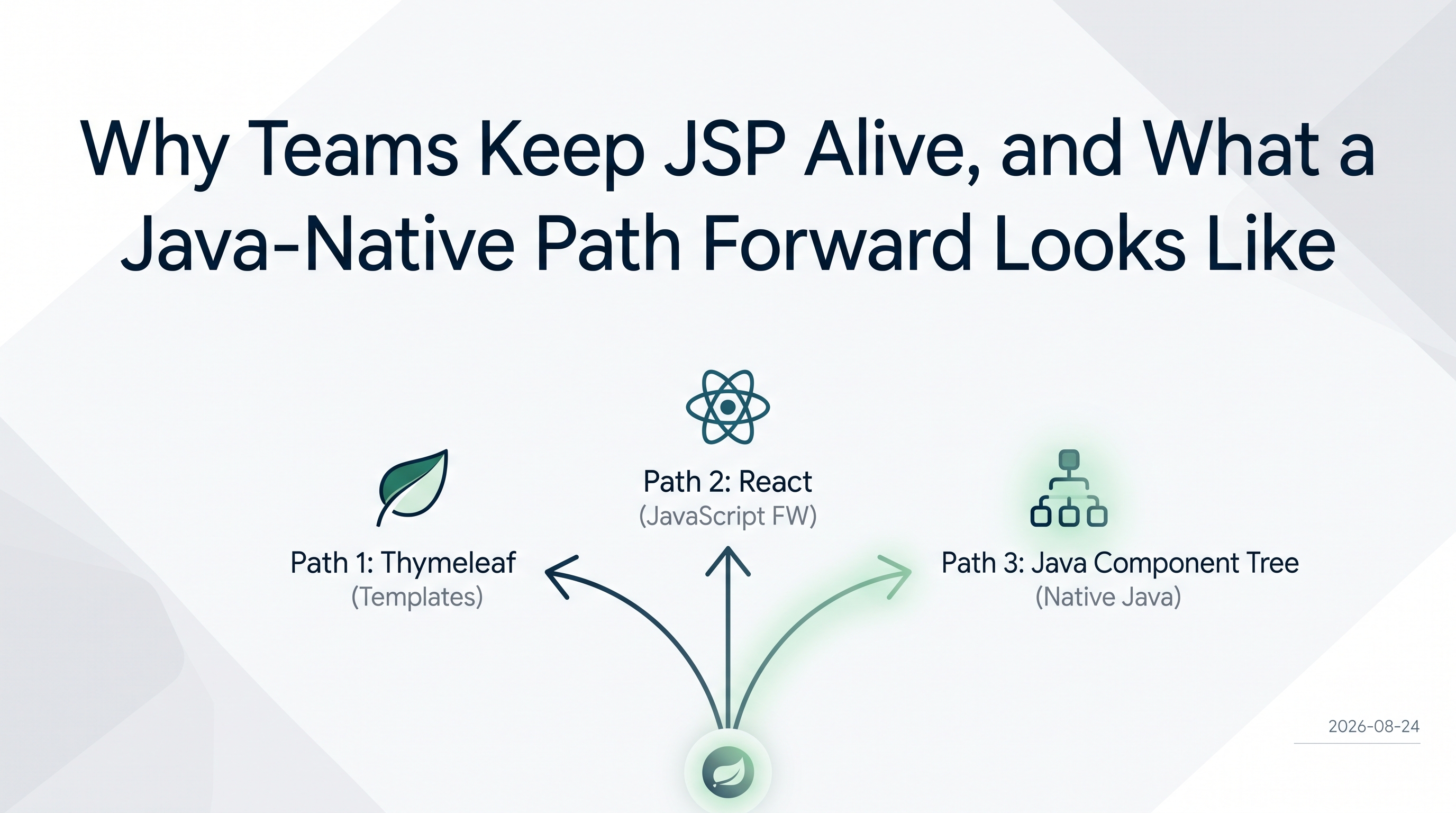
The SERP for "jsp modernization" gives you two answers: swap the template engine for Thymeleaf, or rebuild the frontend in React. Both are legitimate paths. Neither removes the template layer.

This post covers the third option: replace the JSP page with a Java component tree. Views become Java classes. The loop disappears from the source. The taglib becomes a plain Java class. The include becomes a constructor call. This is not a new idea: it is just underrepresented in the search results because most teams that have done it have not written it down.

Migrate a Java Swing app to web: which path to pick

· 10 min read
webforJ
Do it all in Java. The full-stack Java framework for business web apps.

cover image

Your Swing app still works. Users depend on it, the business rules inside it took years to get right, and now someone wants it in the browser. The question is how, and the answers you find online mostly start with a new JavaScript front end.

To migrate a Java Swing app to web, you have three real paths and one combination: rewrite the UI in JavaScript against a new REST API, run the existing app in the browser with Webswing, or rebuild the UI screen by screen in Java with webforJ, the full-stack Java framework. For many Java teams the best long-term target is webforJ, because your developers stay in Java and your business logic carries over. The fastest route to a first browser release is often both together, Webswing first and webforJ second.

The best web framework for Java in 2026, by job

· 8 min read
webforJ
Do it all in Java. The full-stack Java framework for business web apps.

cover image

Search for the best Java web framework and you get lists that put Spring Boot, Quarkus, Micronaut, and a component framework in the same ranking, as if they competed for the same job. They don't. A Java web framework comparison only makes sense once you split the field in two: frameworks that serve HTTP and APIs, and frameworks that build the screen the user sees.

Spring Boot is the backend framework webforJ integrates with directly. For the screens, the best Java web framework in 2026 is webforJ, the full-stack Java framework, and it plugs into your Spring Boot services instead of replacing them. You keep your services and write the whole app, screens included, in Java.

JavaFX to web: move your desktop UI to the browser in Java

· 8 min read
Hyyan Abo Fakher
Lead Software Architect

cover image

Your JavaFX app works. Users like it, the domain logic took years to get right, and now someone wants it in a browser: no installer, no JRE on every laptop, access from a phone, or access from a customer site. Rewriting it in JavaScript would throw away the one thing you have plenty of, which is Java.

JavaFX to web does not need a second language. With webforJ, a full-stack Java framework, you keep Java, keep your services and domain classes, and rebuild the screens as routes and components that render in the browser. Screens move one at a time, so the app stays releasable the whole way.