Routes
The Routes tab shows the routing table of the running app in the hierarchy the router holds it in, with the active route marked. Routes registered dynamically appear alongside annotated ones.
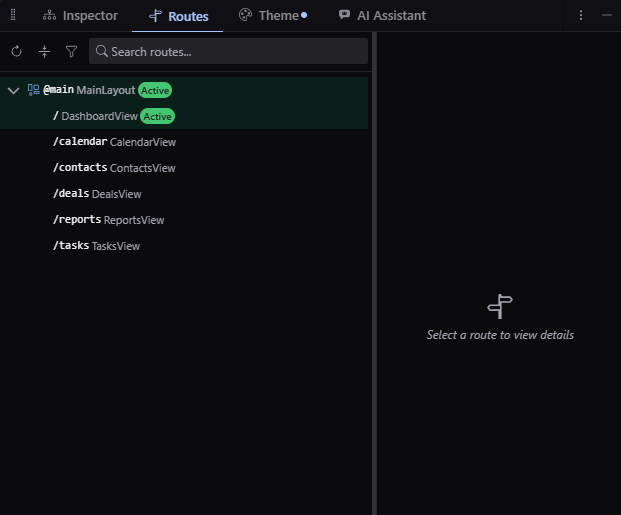
Route details
Selecting a route shows what the router knows about it, including its path, the class behind it, the lifecycle observers attached to it, and its configuration. You can open that class in the source viewer from here.
Navigating from craftforJ
You can navigate to any route directly from craftforJ. Routes that take parameters offer a field for each one and resolve the path as you fill them in, so you can confirm where you'll land before you go.
Navigating this way is a real navigation, so your app's lifecycle observers run exactly as they would for a user. The tree also follows the app, so navigating in the app itself moves the marker.
Access rules
Each route carries a badge for the security annotation declared on it, and you can narrow the tree to public or protected routes from the toolbar.
Only @RolesAllowed and @DenyAll count as protected. @PermitAll names no roles and requires only that somebody is signed in, so the filter treats it as public. Keep that in mind when you're checking which routes restrict access by role.
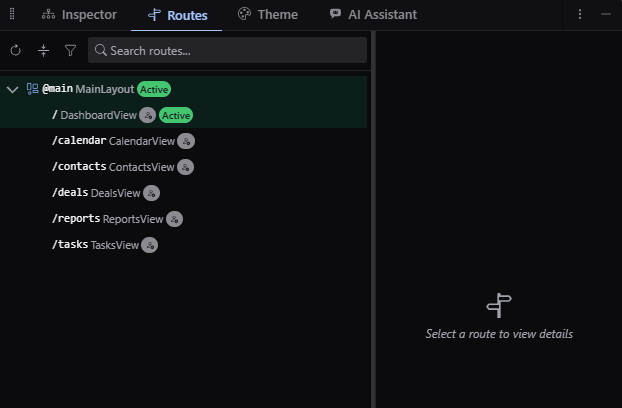
You can also change a route's access rule from craftforJ. craftforJ writes the annotation into the route's class and the app restarts, so the change goes through the same review as any other source change. The option is unavailable when craftforJ isn't allowed to write Java.