Theme
The Theme tab lets you change how your app looks while it runs. It works with the DWC design tokens your app already uses, so a single change reaches every component that reads that token instead of one rule at a time.
Adjusting a theme
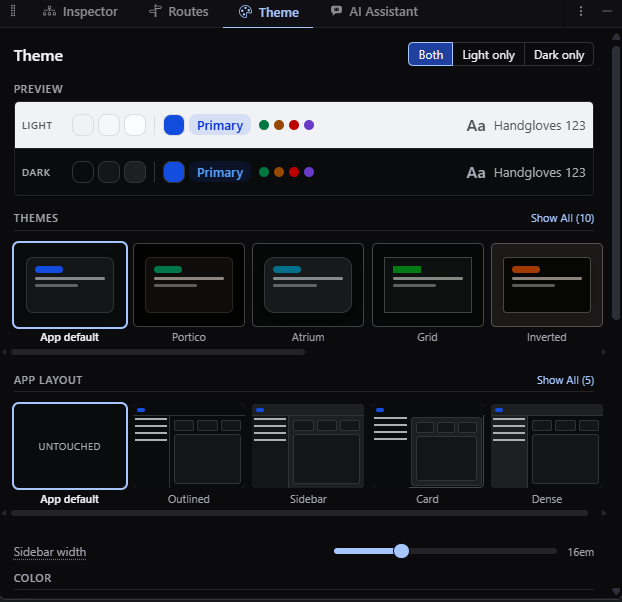
The controls are grouped by what they affect, covering the palette the app is built from, the surfaces behind it, the shape of its edges and corners, its typography, and its spacing. Each control explains what it does, since some of them change how readable the app is rather than only how it looks.
A theme has a light side and a dark side. You can apply an edit to both or to one, and flip the app between them to see the side you're working on. A preview shows the palette, the surfaces, a type specimen, and the status colors together, so you can spot a combination that works on one screen but not another before you save it.
Saving a theme
A theme you're working on is applied to the app but isn't part of your project yet, and reloading the page discards it. Saving writes it into your app's stylesheet, where it survives restarts, appears in your diff, and ships with your app.
craftforJ writes to a single stylesheet, which it detects on its own or which you name in craftforJ settings. If that file already holds a theme, saving replaces it as a whole rather than layering a second one on top, and craftforJ asks you to confirm first. If the file changed after craftforJ read it, nothing is written and craftforJ asks you to save again.
You can revert a theme to its last saved state, or remove it from the stylesheet entirely without affecting anything else in the file.
Preset themes
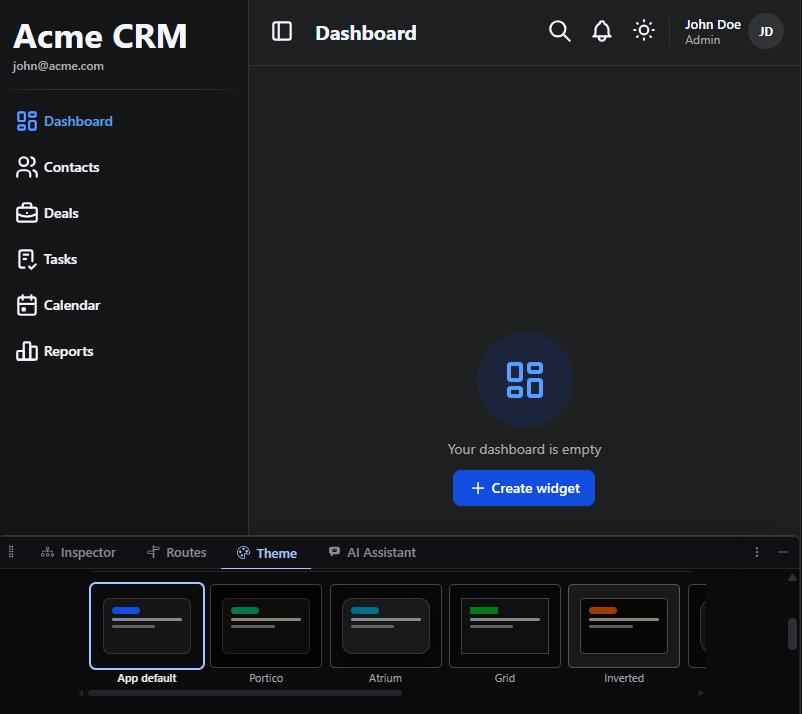
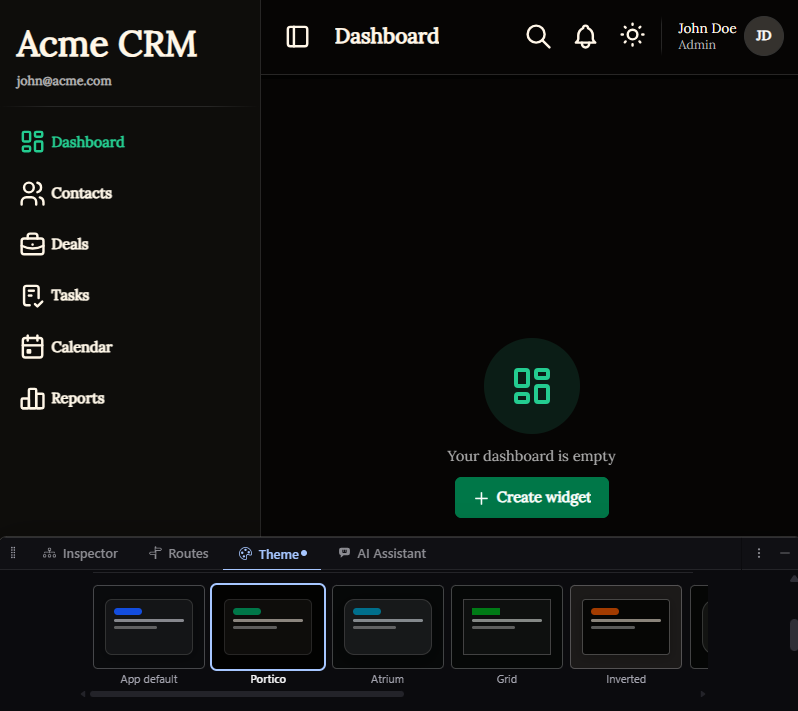
Beyond the default look and feel, craftforJ has several theme presets to choose from. The following shows a comparison between the themes App Default and the Portico.
- App Default
- Portico
Turning it off
You can switch off saving styles for an app in craftforJ settings, or remove it entirely with the stylesheet-changes property. With either turned off, the tab still works and still repaints the running app, but you can't save the result.